Why Work Gets Stuck Waiting for Approval
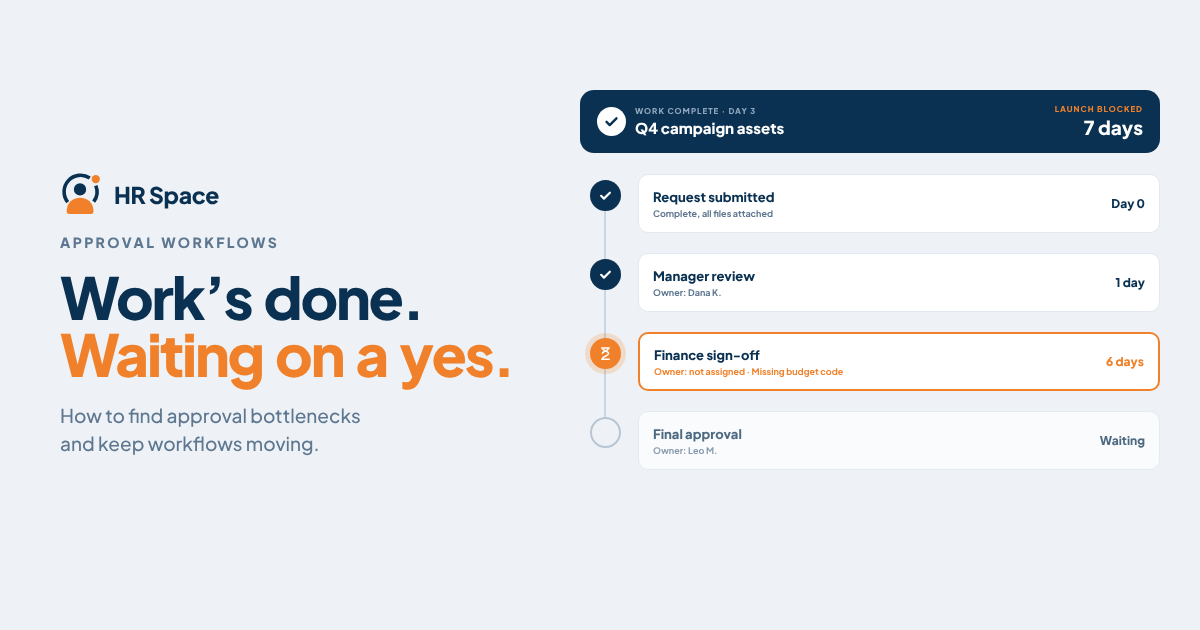
Separate preparation from the decision
A request to “review this” can mean very different things. Someone may be checking accuracy, suggesting improvements, confirming budget, or authorising release. When these are mixed together, contributors can continue editing without anyone making the final decision.
Write the request as a decision. For example: approve version three of the implementation proposal for submission to the client by Thursday. Then state the unresolved question and the consequence of waiting.
Keep the review stages proportionate. A routine internal document may need a simple check. A commitment that changes delivery resources may require a different authority. Define the route according to the decision rather than sending every item through the same long chain.
The Atlassian DACI framework distinguishes the person driving a decision from its approver, contributors, and people who need to be informed. That distinction can help a team discover why a shared review has no clear decision owner.
Make the request ready to decide
An approver should not have to reconstruct the situation from several chat threads. Include the current version, the choice required, the relevant evidence, and the date by which a decision matters.
If you are recommending an option, explain the main tradeoff briefly. For the proposal, this might be the effect of an earlier delivery date on another committed project. “Please approve urgently” does not give the approver that information.
Agree on what happens when information is missing. The request can return to its owner with a specific question and a new expected date. Avoid leaving it in an ambiguous waiting state while everyone assumes someone else is acting.
Version control matters here. A decision on yesterday's attachment should not silently authorise a revised commitment. Keep the decision attached to the version or clearly defined scope that was reviewed.
Record the minimum information for an approval
|
Decision detail |
What to record |
Why it helps |
|
Request |
The exact decision and current version |
Limits confusion about what approval covers |
|
Owner |
Person responsible for moving it forward |
Gives follow up a clear destination |
|
Authority |
Person able to approve this commitment |
Prevents endless peer review |
|
Timing |
Needed date and effect of delay |
Helps prioritise the decision |
|
Outcome |
Decision conditions and next action |
Lets delivery proceed with clarity |
These details can live in a task, request record, or another shared system. The useful test is whether a colleague can understand the next step without searching private messages.
Show waiting time honestly
Separate work being prepared from work waiting for approval. This allows a manager to see a queue and understand where attention is needed.
Be careful when interpreting the queue. A long wait might reflect an overloaded approver, an incomplete request, a missing authority, or a decision deliberately scheduled for later. Ask which explanation applies before changing the process.
If you track timing, define the points being measured. When was the request ready? When did the approver receive it? Was it returned for more information? Without those definitions, an approval report may mix preparation time with decision time.
Use the findings to improve the workflow. Repeated incomplete requests may need a clearer intake form. Routine decisions piling up with one leader may need agreed delegation. Some requests may not need approval at all once the team defines the boundaries.
Agree on an escalation route before the deadline
An escalation should identify a decision that needs attention and the consequence of waiting. It should not depend on who can send the most messages.
Agree on when the request owner follows up, when an alternative authorised approver can act, and what happens if no decision is available. For a blocked client proposal, that might mean revising the promised submission date with the account lead.
Do not treat silence as approval unless the organisation has explicitly established that rule for the relevant decision. A missed notification should not create an unintended business commitment.
When an approval is conditional, turn the conditions into clear actions. Name who will make the change and whether it needs another review. Otherwise, “approved with comments” can become another waiting state.
Review one stuck item from beginning to end
Choose a recent approval that took longer than expected. Trace when the work became ready, how the request was sent, who was involved, and where the decision was recorded.
Find the smallest change that would have helped. It could be a named approver, a more complete request, a backup owner, or a visible status. Test that change with the next relevant item.
HRSpace describes approval gates within its workflow automation. Use an actual decision route in a demo and ask how ownership, exceptions, and the final outcome would be represented.
FAQs
What causes approval delays
Common process problems include unclear authority, incomplete requests, hidden queues, and unavailable approvers. Examine a real item to identify the cause in your team before adding reminders or extra review stages.
Should every task require approval
Define approval requirements around the commitment and the authority needed. Routine work within agreed boundaries may need a different process from a change affecting customers, resources, or other teams.
How should a team handle an unavailable approver
Agree on an authorised backup or an escalation route in advance. Make clear which decisions that person can make and how the outcome should be recorded.
Is an approval in a chat message enough
It may communicate a decision, but the team still needs a reliable way to connect it to the relevant request and version. Put the outcome where the people doing the work can find it later.
Give the next decision a clear owner
Take one approval that regularly slows your team to an HRSpace walkthrough. Ask to see how the proposed workflow would handle the decision from request to completion.
Further reading
Ready to make HR the easy part?
Explore modular pricing and start a free 14-day trial.