Recruitment Automation for Small Businesses Where to Start
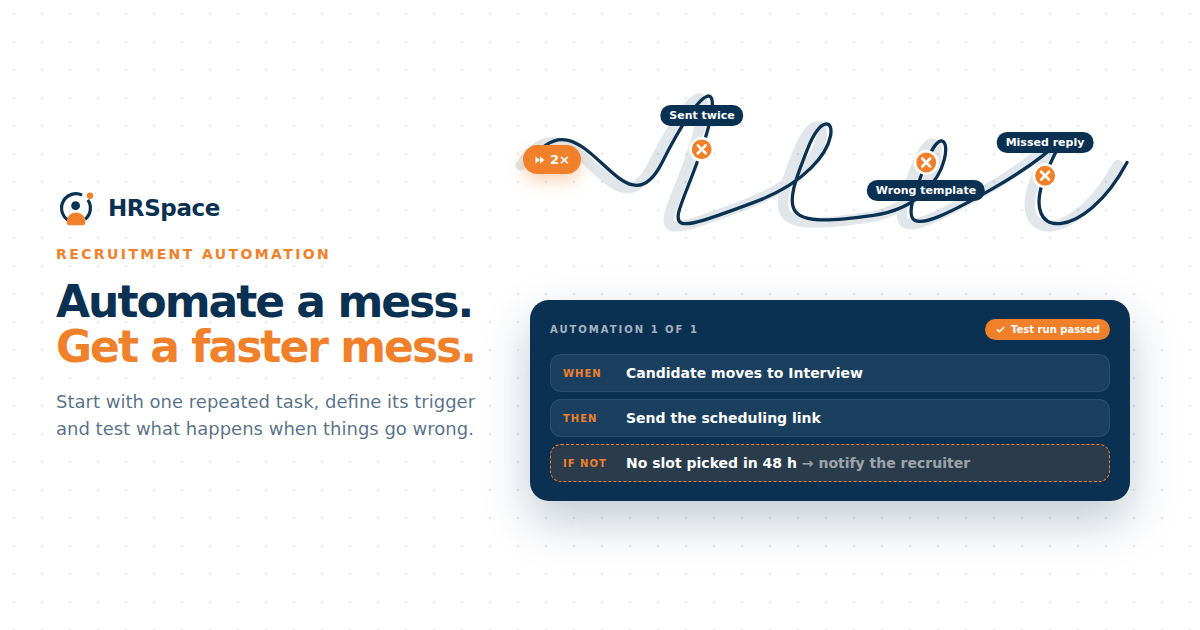
Your hiring coordinator spends Monday reminding managers about feedback, copying interview details into a spreadsheet, and checking whether a candidate received the last update. None of those tasks is large on its own. Together, they leave less time for the conversations that need a person.
Recruitment automation can help with repeated work when the steps are clear. It can also repeat a mistake faster if the team has not agreed what should happen.
For a small business, start with one recurring task, understand its trigger, and test the result. Build from a process the team can explain rather than automating every stage because the software offers a button for it.
Find the repeated task that causes a real problem
Look at recent hiring work. Which action gets missed or takes attention without adding a new decision? It might be an internal reminder, assigning a reviewer, or acknowledging an application.
Describe the task in concrete terms. “Improve recruitment efficiency” is too broad to test. “Send the assigned manager a reminder when interview feedback remains incomplete” gives you something observable.
Check whether automation addresses the cause. If a manager cannot give feedback because the assessment criteria are unclear, a reminder will not resolve the uncertainty. Fix the missing instruction first, then decide whether a reminder is still useful.
Define the trigger before the action
A trigger is the event or condition that starts the automated work. Decide exactly what it means in your process.
For example, an interview marked completed may trigger a feedback task. If people use completed to mean the meeting was merely scheduled, the automation will ask for feedback too early. The stage definition and the team's behavior have to agree.
Also define when the action should stop. A reminder should not keep arriving after the manager has submitted feedback. An application acknowledgement should not be sent twice because someone edits the same record.
|
Possible task |
Trigger to define |
Check before enabling it |
|
Application acknowledgement |
A valid application is submitted |
Correct role, recipient, and message |
|
Reviewer assignment |
An application reaches the agreed review stage |
Appropriate owner and access |
|
Feedback reminder |
Required feedback remains incomplete |
Timing, stop condition, and backup owner |
|
Candidate update task |
A promised update date is approaching |
Current application status and owner |
|
Preparation checklist |
The agreed handover event occurs |
Confirmed versus provisional start details |
These are workflow examples to evaluate. They do not establish that a particular system supports every task or trigger.
Keep the decision with the right person
Some work is administrative. Some requires judgment about a candidate, the role, or a commitment. Decide who reviews those decisions before automating the surrounding steps.
An internal task can prompt a reviewer to assess an application. It should not quietly become a rejection decision because one field is missing or an imported value is wrong.
If the process uses automatic filtering, make the criteria and review route clear. Test incomplete and unusual applications. The team needs to understand what happens to a relevant candidate whose information does not fit the expected format.
Review candidate messages as actual communication
Read every template as though you had just applied for the role. Does it explain the current position? Does it promise a response time? Who receives a reply?
An acknowledgement can confirm receipt without implying that the application has been assessed. A status update should match the actual stage. Keep those purposes distinct in the wording.
Check inserted fields carefully. A wrong name, role title, or interview link can damage trust even when the automation technically succeeds. Use test records and inspect the message received outside the system, not only the template editor.
Plan for the cases that do not follow the usual route
Choose realistic exceptions before the trial. A manager may be away. A candidate may withdraw. A role may close while applications are still arriving. Someone may need another way to take part in an interview.
Decide which events pause or stop the automated work and who handles the exception. A paused process should still have an owner so the candidate does not disappear from everyone's view.
Keep a way to correct a mistaken action. If an internal reminder goes to the wrong person, the team should be able to fix the owner. If a candidate message goes out incorrectly, a person needs to review and communicate the correction promptly.
Use AI for a defined part of the process
AI-assisted work needs its own review. Specify whether the tool is drafting a job description, supporting an interview, or summarizing information. Those tasks have different inputs and consequences.
Check the result against the original material. A polished summary may still omit a qualification or overstate an answer. Keep the underlying evidence available to the person making the decision.
For candidate-facing AI interviews, explain the process clearly and examine how incomplete answers or requests for help are handled. The team should know which output it can use, what remains unassessed, and when another conversation is needed.
Run a small trial and observe the work
Begin with a limited workflow and test applications. Once the behavior is understood, use the approved process for a small live trial with a named owner watching the results.
Record whether the intended task happened, whether it happened at the correct time, and whether someone had to correct it. Keep exceptions visible. A workflow that appears to save time may simply be moving the correction work to another person.
Compare the same task before and after using your own records. If you measure time saved, state how it was measured and include the review effort. Do not use a vendor's general saving claim as though it were your team's result.
Keep the workflow maintainable
Write a short explanation of the trigger, action, stop condition, and owner. Another team member should be able to understand why it exists and how to review it.
Revisit it when stages, templates, or responsibilities change. An automation built around a former manager or an old process can keep running long after the original reason has disappeared.
Remove duplicated messages and unnecessary rules. A small set of understood workflows is easier to maintain than a long list that nobody can explain. Keep the manual route available for exceptions that still require a person.
What to bring to an HRSpace demo
HRSpace offers recruitment and workflow automation modules. In an HRSpace demo, bring one process you want to improve and ask which parts can be supported together in the proposed setup.
Confirm module requirements, available triggers, review controls, and how the team sees failed or paused work. Do not assume that a general automation feature can access every recruitment event. Test the connection your process actually needs.
FAQ
What is recruitment automation
It is the use of software to carry out defined recruitment tasks when agreed events or conditions occur. The task could be a reminder, assignment, acknowledgement, or another supported workflow action.
What should a small business automate first
Choose a repeated task with a clear trigger, a known owner, and an observable result. Fix unclear instructions or responsibilities before automating the work around them.
Is AI recruitment the same as recruitment automation
No. A workflow can automate a task without using AI. AI may draft or interpret information within a process, and its output requires review appropriate to the task.
How can a team tell whether automation is helping
Check whether the intended work happens correctly and whether missed tasks or manual effort decrease. Include review time, exceptions, and correction work in the assessment.
Choose one task for the first trial
Pick a reminder or assignment your team already understands. Write its trigger, stop condition, and owner before configuring anything. Test a normal case and an exception, then decide whether the result is dependable enough for the team's everyday hiring work.
Ready to make HR the easy part?
Explore modular pricing and start a free 14-day trial.