Is Switching HR Software Mid-Year Worth the Disruption?
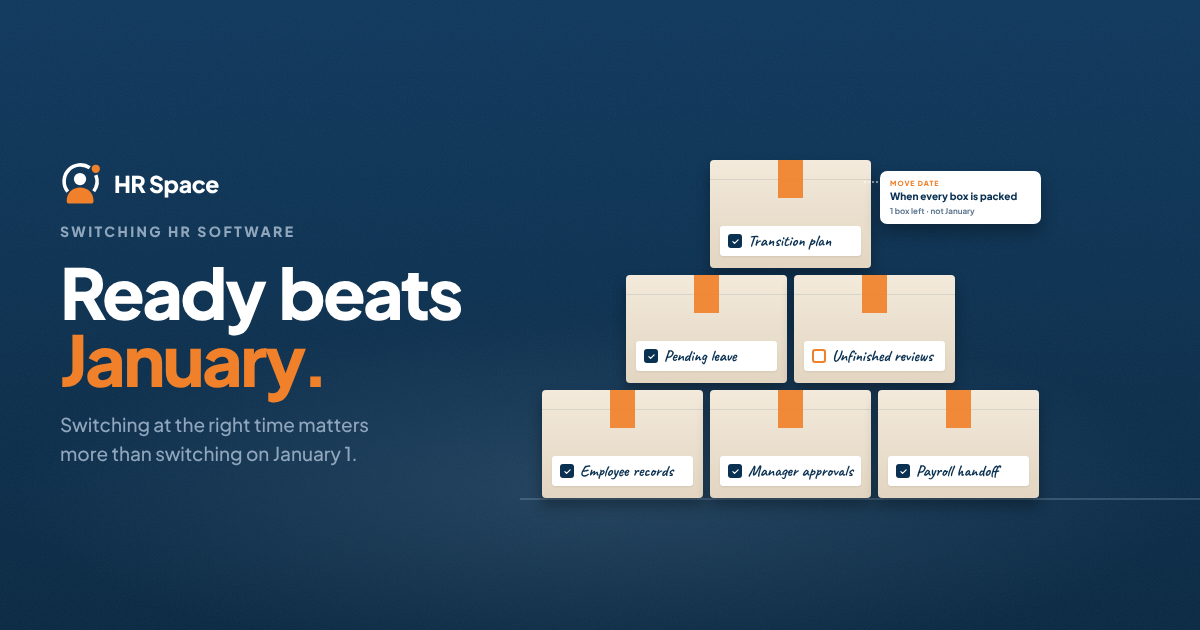
Switching HR software mid-year can be worth the disruption when the new system solves recurring problems and the migration is properly planned. The challenge is not simply moving employee records. It is keeping HR workflows running, protecting historical data, and helping employees adapt without interrupting everyday operations.
For growing businesses, waiting until January is not always the best decision. What matters more is whether your team is ready to switch and whether the replacement has been tested against real HR processes.
Key Takeaways
-
Switching HR software mid-year is worthwhile when the operational benefits justify the migration effort.
-
Data cleanup, workflow testing, and employee training are essential before launch.
-
A phased migration can reduce disruption when responsibilities between systems are clearly defined.
-
Unfinished requests, reviews, and approvals need a documented handover.
-
HRSpace offers modular HR software for teams evaluating multiple employee lifecycle processes.
Is Switching HR Software Mid-Year Worth It?
Yes, if the replacement solves a verified problem and your team can manage the transition without losing control of employee records or ongoing workflows.
A mid-year HR software migration is not automatically more difficult than a January switch. The actual disruption depends on your data quality, migration scope, connected processes, and readiness of employees and managers.
For companies with 20–100 employees, the decision should start with a specific operational problem. For example:
-
HR spends too much time maintaining employee information manually.
-
Managers struggle to track leave requests and approvals.
-
Onboarding tasks are difficult to monitor.
-
Employee records are scattered across spreadsheets and different tools.
-
HR lacks visibility into ongoing requests and responsibilities.
The goal is not simply to replace an outdated interface. It is to improve the processes employees and HR depend on every day.
If your current system creates recurring problems, delaying the switch may also have a cost. The key is to compare that cost with the effort and risk of migration.
Mid-Year HR Software Migration: Three Options
Before selecting a launch date, compare the main approaches.
| Approach | Best for | Main advantage | Main challenge |
|---|---|---|---|
| Phased migration | Teams that can separate workflows clearly | Limits the scope of each change | Requires clear boundaries between systems |
| Full cutover | Teams with validated data and connected processes | Gives employees one destination after launch | Concentrates testing and training |
| Delayed migration | Teams with unresolved launch blockers | Provides time to prepare records and workflows | Leaves current problems unresolved |
A phased migration works when each process has one authoritative record. A full cutover works when the entire scope has been tested together. Delaying the switch makes sense when important requirements remain unresolved.
The best option depends on your operational readiness, not simply the time of year.
How to Switch HR Software Without Losing Control
A successful HR software migration requires more than importing employee information. Each stage should produce something your team can verify before moving forward.
1. Define What the New System Must Improve
Start by identifying the problems your current HR software creates.
Write down the employee action, the responsible person, and the expected result. For example, an onboarding process should make it possible to identify outstanding tasks, assign responsibility, and confirm completion.
Keep the migration scope focused. Adding unnecessary changes during the switch increases the amount of work your team must test.
2. Prepare and Clean Employee Data
Employee data migration is one of the most important parts of switching HR software.
Before importing records:
-
Remove duplicate employee entries.
-
Correct outdated employee information.
-
Verify reporting relationships and manager assignments.
-
Reconcile leave balances and relevant historical records.
-
Identify documents and attachments that must remain accessible.
-
Decide which records need to be transferred and which can be archived.
Do not assume every historical record will transfer automatically. Confirm the export formats, import capabilities, and historical data access requirements with the vendors.
The objective is to move reliable information, not simply copy existing errors into a new system.
3. Test Real HR Workflows
A successful data import does not guarantee that the new HR software is ready for employees.
Test representative scenarios before launch:
-
An employee submits a time-off request.
-
The correct manager receives the request.
-
The manager approves or rejects it.
-
HR can retrieve the resulting record.
-
An onboarding task is assigned and marked complete.
-
Employee permissions prevent unauthorized access.
Include exceptions that occur in your organization, such as a changed manager or an unfinished approval.
Testing should cover the employee experience, manager actions, and HR administration—not only the administrator's dashboard.
4. Assign Migration Responsibilities
Every important migration task needs an owner.
Define who will:
-
Approve employee data before import.
-
Validate workflows and permissions.
-
Confirm payroll or other system handoffs.
-
Decide whether the launch requirements have been met.
-
Communicate changes to employees and managers.
-
Handle questions and problems after launch.
If payroll or finance processes depend on HR information, involve the responsible team in testing. A working HR interface does not automatically mean downstream processes are functioning correctly.
5. Choose a Cutover Date Based on Readiness
Your 2026 migration date should reflect the organization's actual operating calendar.
Review:
-
Payroll deadlines.
-
Active onboarding commitments.
-
Pending leave requests.
-
Performance review cycles.
-
Manager availability.
-
Employee training requirements.
Before launch, explain which system employees should use for new requests and what happens to unfinished work in the old system.
Keep a documented fallback plan for critical workflow failures, including who can pause the launch and make that decision.
6. Check Adoption After Launch
The migration is not complete simply because employees can log in.
After switching, verify that employees can complete required actions, managers can find and approve requests, and HR can retrieve the resulting records.
Compare the live workflows with the acceptance criteria established before migration. Document remaining issues, assign owners, and make sure historical information remains accessible as planned.
Phased Migration vs. Full Cutover
Choosing between a phased migration and a full cutover depends on how your HR processes connect.
Phased Migration
A phased approach introduces new workflows gradually.
For example, a company might move employee support requests to the new system while keeping historical records accessible in the previous platform.
The main advantage is a smaller initial scope. The challenge is ensuring employees understand which system handles each action.
A phased migration requires clear rules:
-
Where new requests should be submitted.
-
Where existing requests should be completed.
-
Which system contains the authoritative record.
-
Where employees can find historical information.
Without these boundaries, phased migration can create duplicate records and unnecessary manual work.
Full Cutover
A full cutover moves employees and HR workflows to one system from a defined launch date.
It provides a clearer experience after migration because employees have one destination for their HR activities.
However, it concentrates data validation, testing, training, and communication into one transition. Full cutover should only be considered when the required workflows and records have been verified together.
Why Mid-Year HR Software Switching Can Be Disruptive
The amount of disruption depends on the scope of the migration and the condition of your existing processes.
Data Quality
Duplicate records, outdated employee information, and inconsistent reporting relationships require correction before migration.
Unfinished Work
Pending leave requests, onboarding tasks, employee questions, and active performance reviews need a clear destination and responsible owner.
Connected Systems
Payroll, finance, or other business processes may depend on HR information. Their owners should validate the relevant handoffs before launch.
Employee Training
Employees need to understand where to submit requests and access information. Managers need to know how to handle approvals and responsibilities in the new system.
Migration Scope
Replacing one HR workflow is different from replacing several connected processes. Define the scope before estimating the effort or choosing a launch date.
These factors make it difficult to promise a universal implementation timeline. A realistic migration plan should reflect your records, workflows, and organizational requirements.
Where HRSpace Fits
HRSpace is a cloud-based HR platform designed for growing HR and People Operations teams evaluating employee lifecycle management in one environment.
Its stated platform scope includes:
-
Employee records and document management.
-
Onboarding and offboarding.
-
Time-off and attendance.
-
Performance reviews and goals.
-
Recognition and employee engagement.
-
AI recruitment and applicant tracking.
-
HR workflow automation.
-
Internal employee support through a service desk.
HRSpace uses a modular, per-employee pricing model, allowing businesses to evaluate their required scope.
For companies switching HR software mid-year, this broader platform coverage can be relevant when the migration involves several HR processes rather than one isolated tool.
However, selecting a platform does not eliminate the need for data cleanup, workflow testing, or employee training. Before committing, confirm which records can be transferred, what setup is required, and how the workflows you need will operate.
Explore HRSpace to evaluate the platform against your migration requirements.
You can also review the HR software implementation timeline guide before planning your transition.
Frequently Asked Questions
Is switching HR software mid-year worth it for a small company?
Yes, when the replacement solves recurring problems and the migration can be completed with appropriate safeguards. Small teams should focus on testing the workflows employees and managers use most frequently.
What's the least disruptive way to switch HR systems?
Use the narrowest migration scope that still gives each workflow one authoritative record. A phased migration can reduce disruption, provided employees understand where new and existing work belongs.
Will we lose employee history when changing HR software?
Not necessarily, but historical data does not always transfer automatically. Confirm export formats, import capabilities, document migration, and historical access requirements before ending access to the old system.
How long does switching HR software take?
The timeline depends on data quality, migration scope, workflow complexity, and employee readiness. Avoid relying on generic estimates without validating your own requirements.
Should employees use both HR systems during migration?
Employees may need access to both systems temporarily, but each should have a clearly defined purpose. Avoid duplicate submissions unless they are part of an explicit testing or validation process.
What should stop an HR software launch?
Unresolved critical issues involving employee data, permissions, approvals, or payroll handoffs should prevent launch until they are addressed. Assign each blocker an owner and a clear completion condition.
How do we know the HR software switch worked?
Check whether employees can complete required actions, managers can handle approvals, and HR can retrieve the correct records. Compare the results with the acceptance criteria established before migration.
Final Thoughts
Switching HR software mid-year is not necessarily the wrong decision. In some cases, waiting means continuing to deal with inefficient processes that affect HR and employees every day.
The important part is knowing what you are changing and how you will protect ongoing work.
Before approving the migration, identify the problems your new system must solve, validate the workflows, and give every unfinished task a clear destination.
A successful HR software switch is not simply a move to a new platform. It is a transition to better-defined processes that employees and managers can actually use.
Related Guides
Ready to make HR the easy part?
Explore modular pricing and start a free 14-day trial.