Is Employee Time Tracking Micromanagement? How to Introduce It Fairly
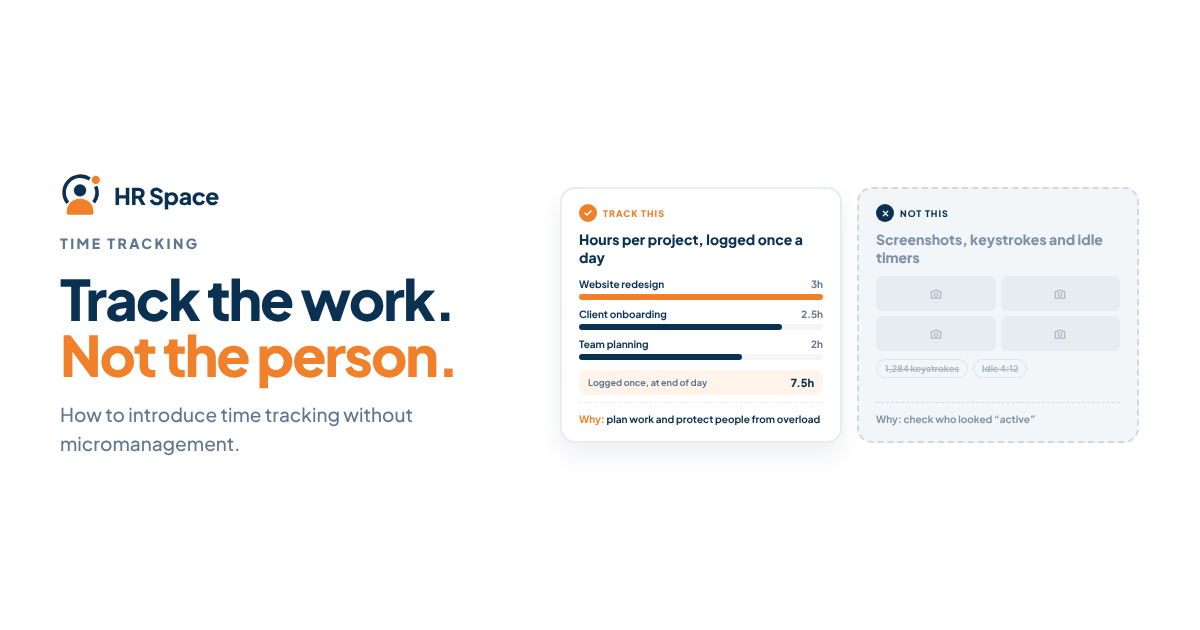
Most teams don't object to time tracking. They object to what they think it means: that someone doesn't trust them. Introduce it badly and you get resentment and rounded-up numbers. Introduce it well and you get something useful: an honest picture of where the week goes.
Quick answer: Time tracking isn't micromanagement when it is used to plan work, price projects and protect people from overload. It becomes micromanagement when it is used to watch individuals minute by minute, when people don't know why it exists, or when the numbers are used to punish. The fix is to explain the purpose, track at the level of projects rather than activity, and show the team what you do with the data.
Time tracking and monitoring are not the same thing
The word "tracking" covers two very different practices:
|
|
Time tracking |
Activity monitoring |
|---|---|---|
|
What is recorded |
Hours per project or task, logged by the person |
Screenshots, keystrokes, apps, idle time |
|
Who controls the record |
The employee, then the manager approves |
The software, automatically |
|
Typical question it answers |
"How much did this project really cost?" |
"Was this person active at 14:10?" |
|
How people feel about it |
Neutral to positive when the purpose is clear |
Often watched and distrusted |
Most of the backlash against time tracking is really backlash against monitoring. If you only need the first column, say so clearly from the start.
When time tracking helps the team
- Pricing and quoting. If you sell projects or retainers, you need to know what work actually costs.
- Workload. Hours across projects show who is quietly overloaded before they burn out. See workload planning when the same people support several projects.
- Scope changes. Logged hours make extra work visible, so it can be discussed rather than absorbed.
- Planning. Real numbers from the last project make the next estimate less of a guess.
When it turns into micromanagement
- People are asked to account for every 15 minutes, including breaks.
- Managers comment on individual entries instead of looking at patterns.
- Hours are compared between people doing different kinds of work.
- The data appears for the first time in a performance review.
- Nobody has explained why tracking started.
If any of these are already happening, fix them before you add more tracking.
How to introduce time tracking fairly
- Write down the purpose in one sentence. For example: "We track hours by project so we can quote accurately and spot overload early." Share it before anyone logs a minute.
- Track projects, not minutes. Ask for hours per project per day, not a timeline of every task.
- Keep categories few. Five to eight project or work categories are enough. More than that and people guess.
- Start with a trial month. Tell the team the first month's numbers are only for learning, not for judging anyone.
- Show the team what you learned. Share what the data changed: a re-quoted project, a person whose workload was reduced, a meeting that was cut.
- Agree who sees what. Usually the person and their manager see individual entries; others see totals by project.
- Never surprise people with the data. If hours ever matter in a review, say so in advance and explain how.
Our guide to timesheets that help small teams understand project effort covers setting up categories in more detail.
What to say to the team
A short message works better than a long policy:
"From next month we'll log hours by project once a day. It takes about two minutes. We're doing it to price projects properly and to see when someone is carrying too much. For the first month, nobody's numbers will be used for anything except learning. At the end of the month we'll share what we found."
How HRSpace keeps time tracking on the right side of the line
HRSpace's time tracking is built around the first column in the table above: people log hours against projects, and managers approve them. It is designed to show where effort goes, not to watch screens.
Because time tracking sits inside the same platform as projects, time off and goals, the numbers come with context. A manager can see that a project ran over in the same week two people were on leave, instead of reading hours in isolation. That makes it far easier to use the data for planning rather than blame.
Time tracking comes with the Projects & Boards add-on ($1 per employee per month, on top of the $1 Base Layer). If you're introducing tracking for the first time, the 14-day free trial is long enough to run the first half of a trial month.
FAQs
Is time tracking legal?
Logging working hours is common and often required for overtime and payroll. Monitoring screens or keystrokes is more tightly regulated in many countries. Check the rules where your employees work.
Should salaried employees track time?
If you need project costs or workload data, yes. Explain that it's about the work, not about checking hours worked.
How detailed should time entries be?
Project and day level is enough for most small teams. Task-level detail only makes sense if you bill clients by task.
What if people round their hours?
Some rounding is normal and fine for planning. If numbers are clearly made up, it usually means people don't trust how the data will be used.
Can time tracking improve wellbeing?
It can, when managers use it to spot overload and act on it. It hurts wellbeing when it is used to pressure people.
Ready to make HR the easy part?
Explore modular pricing and start a free 14-day trial.