Is Cloud-Based HR Software Worth It for Small Businesses in 2026?
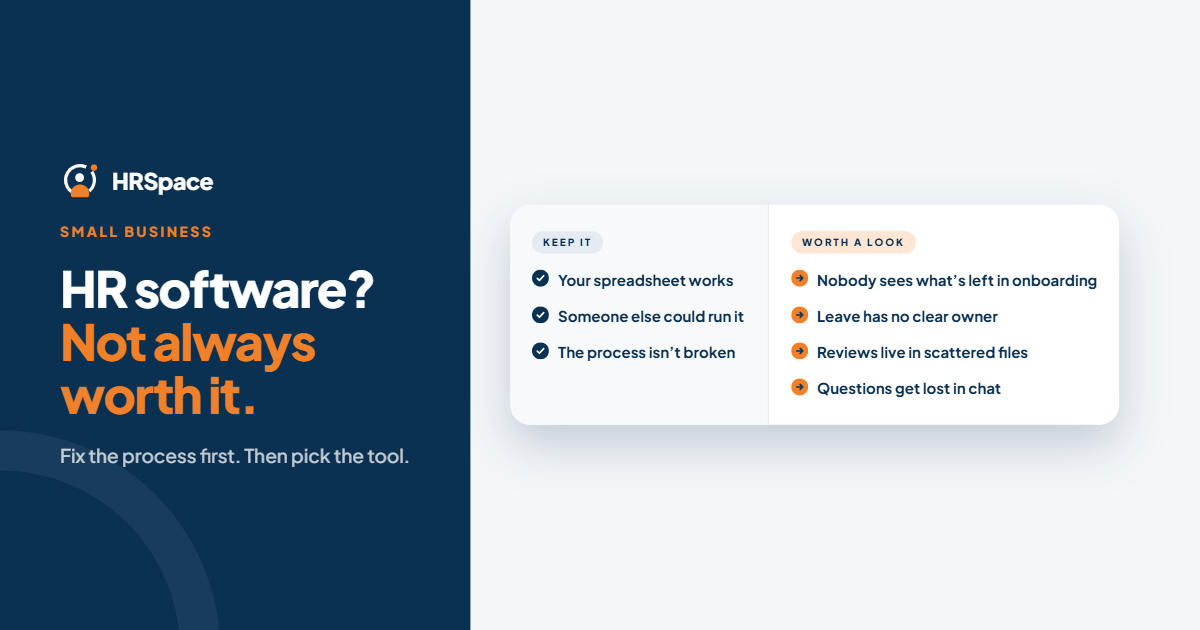
Yes, when it replaces recurring admin work and gives every request, hire and review a clear owner. No, if your spreadsheet already works and someone else could run it.
That’s the honest answer. Software isn’t worth buying because you’ve reached a certain headcount, or because it makes records look tidy. It’s worth it when it removes work your team does over and over, and makes it visible who owns what.
This guide helps you decide: the signs you’ve outgrown spreadsheets, when to keep what you have, what it costs against what it saves, and what to ask about security. HRSpace is built for small and growing teams that want onboarding, time off, reviews, recruiting and employee requests in one place.
Signs it’s time
- The same details are typed in more than once. Employee data sits in three spreadsheets, each slightly different.
- Nobody can say what’s left on a new hire’s checklist. Onboarding lives in messages and memory.
- Time-off decisions happen in chat. Requests get missed, two people are away at once and nobody can say who approved what.
- Employee questions have no owner. They go to whoever answers first, and some never get answered.
- Reviews are rebuilt from memory. Feedback is scattered, and the last month dominates.
- You can’t show what happened. In a dispute or audit, there’s no record of who decided and when.
- Things depend on one person. If they’re away, work stops.
If three or more of these sound familiar, you’re likely paying for the problem already, in time and in mistakes.
Signs to keep what you have
- Your process is simple, stable and reliable.
- Someone other than its creator can understand and maintain it.
- Requests have owners and finish.
- The cost of change would be more than the time you’d save.
A spreadsheet that works is not a failure. Don’t replace it because another platform lists more features. Changing software without fixing a broken process just moves the confusion.
A record isn’t the same as finished work
A tidy employee list doesn’t tell you whether onboarding is complete, a leave request has an owner or a question has been answered. The test of any HR software is whether it carries a piece of work from start to finish: submission, owner, decision, outcome.
Is it worth the money? A quick check
Estimate the time lost, then compare it with the monthly price.
- List the recurring HR tasks that eat time: retyping data, chasing approvals, reconciling records, answering the same questions.
- Estimate the weekly hours, and the hourly cost of the people doing them.
- Multiply by about four for a month.
- Compare with the subscription.
An illustrative example, not a benchmark: if chasing approvals and retyping takes someone three hours a week, at $30 an hour that’s about $90 a week, or roughly $390 a month. If software removes even half of that, it can cover a monthly price like HRSpace’s $100 for 50 people. Your numbers will differ, so use your own.
Remember the other side: setup, data cleanup and employee training take effort. Count them as part of the cost. For price ranges across platforms, see our guide to HR software cost per employee.
Is cloud HR software secure?
Reputable cloud providers generally use encryption, role-based access and regular security checks, and often exceed what a small company manages on its own. But “cloud” doesn’t mean “safe” by default. Ask every vendor:
- How is data encrypted, in transit and at rest?
- Who can see what? Can access be set by role?
- Where is data stored, and how long is it kept?
- What happens to data if you leave?
- Is employee data used to train any models?
Keep the answers in writing. A spreadsheet in an unsecured folder is rarely safer.
How HRSpace makes this easier
HRSpace is a modular cloud HR platform for small and growing teams, so you start with what hurts and add the rest later:
- Base layer, $1 per employee per month: records, documents, time off and timesheets.
- Onboarding ($0.50): a checklist for each new hire with owners and visible status.
- Service Me ($0.50): employee questions and requests get a queue, routing, SLA targets and approval chains.
- Goals & Performance ($1), Recognition & Feedback ($0.66), AI Recruitment ($1): when you need them.
A 20-person team can run the core set for about $40 a month and a 50-person team for about $100. Billing is monthly with no setup fee, and there’s a 14-day free trial with no credit card.
What it doesn’t cover
HRSpace doesn’t process payroll, administer benefits or file statutory returns. If those are your biggest pain, pair it with a payroll provider or look at a payroll-led platform.
Prove it before you switch
- Pick one painful workflow, such as onboarding or leave.
- Name the owner, and who handles exceptions.
- Check your records are current enough to move.
- Run it end to end, including an exception like an absent approver.
- Ask someone who doesn’t run the process to follow it, using the instructions an employee would get.
If they can’t find the owner or the status, you’ve found a real problem. Choose software that makes the next action obvious.
Frequently asked questions
Do small businesses need HR software?
Not always. They need it when manual work, unclear ownership or scattered records start costing time or causing mistakes.
Is 20 employees too small?
No, if you already have the problems above. Headcount alone isn’t the test.
Is cloud HR software secure?
Reputable platforms use encryption and access controls, but ask each vendor for specifics.
Will software replace an HR person?
No. It structures the admin; people still handle judgment and conversations.
What does it cost?
It varies. See our pricing guide. HRSpace starts at $1 per employee per month.
Can I try HRSpace first?
Yes, with a 14-day free trial and no credit card.
Where to go from here
To see whether it fits your team, start a free 14-day HRSpace trial and run one real workflow. If you’re comparing platforms, read how HRSpace compares with BambooHR or see our guide to onboarding for hospitality teams.
Ready to make HR the easy part?
Explore modular pricing and start a free 14-day trial.