How to reduce HR service desk ticket resolution time
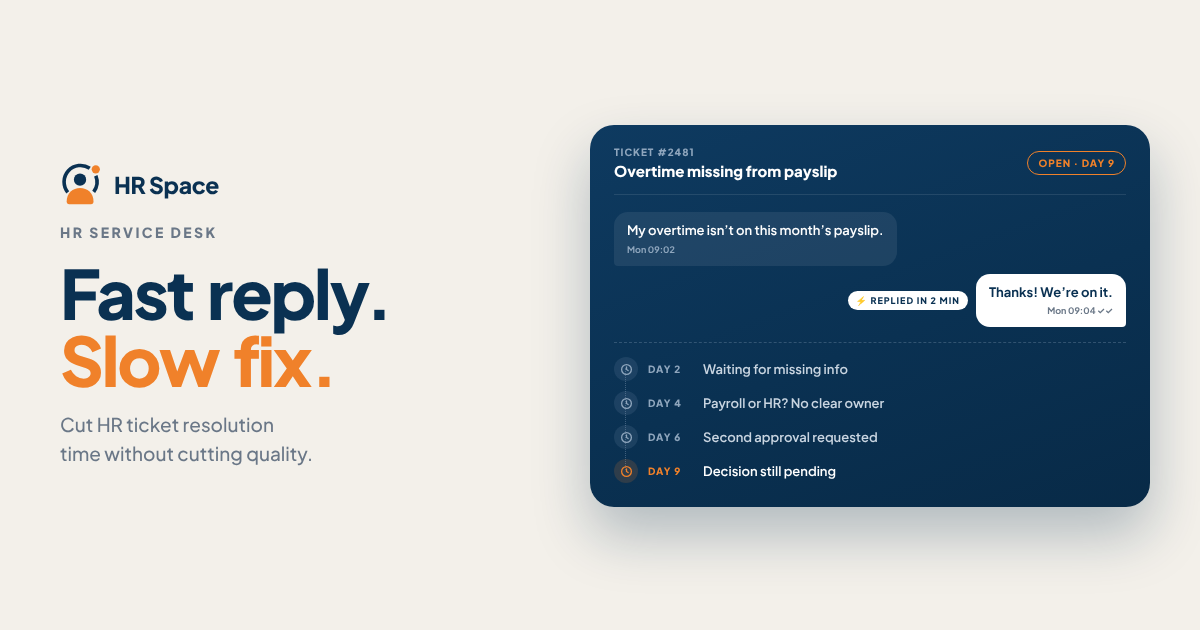
Find where requests wait, then fix that stage before changing the entire service desk.
A missing document, an unassigned request, and a delayed approval require different solutions. Start by reviewing where requests get stuck and what prevents them from moving forward.
If requests regularly reach the wrong person, review your automatic service desk ticket routing.
Use this sequence to improve your process:
-
Identify delays. Review completed and unresolved requests to find where information, ownership, or decisions are missing.
-
Improve intake. Collect the information needed to start work, using different questions for different request types.
-
Assign clear ownership. Make one person responsible for moving each request forward.
-
Simplify approvals. Keep necessary approval steps, identify the right approver, and define a backup.
-
Escalate blocked requests. Involve someone who can resolve the blocker rather than sending another routine notification.
-
Verify the outcome. Confirm that the employee received a usable answer or that the requested action was completed before closing the ticket.
These steps can help improve turnaround, but the results depend on your team's workload, staffing, and existing processes. Set targets based on your own data rather than relying on unsupported industry benchmarks.
Why Resolution Time Matters
Employees need their requests resolved, not simply acknowledged.
A quick response followed by several days of silence still leaves an employee waiting for an answer about time off, an onboarding task, or an internal policy.
For companies with 20–100 employees, the process should be practical enough for the existing HR team to maintain. Creating specialist queues that nobody consistently owns can add complexity without improving service.
The important question is not whether your team responds faster. It is whether employees get the right outcome with fewer reminders, repeated explanations, and reopened requests.
Measure Resolution Time, Not Just Replies
Define resolution time as the elapsed period between a request being submitted and the requested outcome being delivered.
Decide whether your reporting uses calendar time or business hours, and apply the same definition consistently.
Track several measures together because each reveals a different part of the process.
| Measure | What It Tells You | Limitation |
|---|---|---|
| First-response time | How long employees wait for an initial response | An acknowledgment does not prove that work has started |
| Resolution time | How long employees wait for the outcome | Different request categories need separate interpretation |
| Time in status | Where a request spends its time | Statuses must reflect actual work and waiting |
| Open-request age | How long unresolved work has remained open | Age alone does not explain the blocker |
| Reopened requests | Which closed requests return for additional work | Teams need a consistent rule for reopening tickets |
Compare similar requests. A simple policy question and a request requiring several approvals have different dependencies. Report resolution time by category before treating a change in the overall average as evidence of improvement.
Keep overdue open requests visible alongside completed tickets. Otherwise, the reported resolution time may look better simply because difficult requests remain unresolved and are excluded from the completed-ticket calculation.
Improve Request Intake Without Adding Friction
A good request form collects enough information for HR to begin working without requiring employees to write lengthy explanations.
Start with the request type, the outcome needed, and any relevant deadline. Add category-specific questions only when the answers affect routing, priority, or the work itself.
For example:
-
Time-off question: Which dates or decision does the employee need help with?
-
Onboarding request: Which new hire or onboarding task is involved?
-
Policy question: Which policy or situation needs clarification?
-
Supporting information: What additional context does the person responsible need to begin?
Avoid asking employees for information HR already has access to. Also, avoid collecting sensitive personal details in general-purpose fields when a more appropriate process is required.
There is a trade-off between structure and convenience. More required fields may reduce follow-up questions, but they also make submission more demanding. Remove fields that do not help the team assign, prioritize, or resolve the request.
Assign Requests to Owners, Not Just Queues
A queue is a place where work waits. An owner is the person accountable for moving it forward.
For each request category, document:
-
The primary owner.
-
A backup owner.
-
The approver, if approval is required.
-
The escalation destination.
-
The next action expected at each stage.
Check what happens when the primary owner is unavailable. A routing rule without a fallback does not solve the problem of an absent employee.
A practical service desk workflow looks like this:
-
Intake: Capture the request and the essential information.
-
Assign ownership: Make one person accountable for progress.
-
Resolve the blocker: Obtain missing information or the required decision.
-
Confirm the outcome: Check that the employee's need has been addressed.
-
Close the request: Record the result and close the work.
Keep ownership clear when a request involves another department. The accountable owner should continue tracking the request until the next team explicitly accepts responsibility or the work is completed.
Make Approvals and Escalations Actionable
An approval request should clearly state what decision is needed, who must make it, and what happens afterward.
Include enough context for the approver to act without reconstructing the situation from a long conversation.
Review approval steps against the policy they support. Remove a step only when the responsible policy owner confirms it is unnecessary. Faster processing is not a reason to bypass required controls.
A service-level agreement (SLA) defines the service target and how its timing is measured. Specify whether the target applies to the first response, final resolution, or both.
Before configuring alerts, define:
-
Which request category the target covers.
-
What makes a request urgent.
-
Who receives a warning when a deadline approaches.
-
Who can intervene when the deadline passes.
-
What action the person receiving the escalation must take.
An escalation needs a decision-maker, not another inbox. A blocked approval should reach someone authorized to make or delegate the decision. A workload problem should reach someone who can redistribute work.
Repeating the same reminder will not resolve either problem unless it changes what happens next.
Why HR Ticket Resolution Time Varies
Resolution time depends on the request itself and the process surrounding it. Review these factors before assuming that every delay reflects poor performance.
Incomplete information
Missing dates, documents, or context can require additional communication before work begins.
What to do: Improve the intake form so employees provide the information needed for their specific request.
Unclear ownership
Requests can remain untouched when several people can see them but nobody is responsible for taking the next step.
What to do: Assign a clear owner and define backup arrangements.
Approval delays
HR may complete its part of a request while waiting for a manager or another authorized person to make a decision.
What to do: Identify required approvers, establish realistic targets, and define an escalation path.
Request complexity
A straightforward policy question requires a different amount of work from a case involving several departments.
What to do: Categorize requests and assess turnaround separately for different types of work.
Staffing and workload
Absences and competing priorities can affect how quickly someone acts on a request.
What to do: Monitor overdue work and make it possible to reassign requests when necessary.
Incomplete resolution
Closing a ticket before the employee's issue is addressed can lead to repeated communication and reopened requests.
What to do: Define what counts as resolution and verify that the requested outcome has been delivered.
Every unresolved request should have an owner, a known blocker, and a clear next action. This makes delays easier to understand and address.
Choose the Right Improvement for Each Delay
Automation, self-service, and manual handling solve different problems. Choose the approach that fits the request instead of forcing every issue through the same workflow.
| Approach | Best For | Potential Benefit | Trade-Off |
|---|---|---|---|
| Routing rules | Repeatable requests with clear ownership | Assigns work using defined conditions | Incorrect rules can repeat incorrect assignments |
| Self-service guidance | Stable policy and process questions | Helps employees find answers directly | Outdated guidance can create more questions |
| Approval workflows | Requests requiring a defined decision | Makes the decision path explicit | Unnecessary approvals add waiting time |
| Manual triage | Sensitive, ambiguous, or unusual requests | Allows judgment before assignment | Requires staff attention and consistent coverage |
Start with the problem you can identify.
If employees repeatedly ask the same policy question, improve the guidance and make it easier to find. If requests contain all the necessary information but remain unassigned, fix ownership before introducing more automation.
Evaluate changes using both speed and quality. A lower resolution time combined with more reopened requests may indicate that tickets are being closed too early rather than resolved more effectively.
Where HRSpace Fits
HRSpace is a cloud-based HR platform for growing teams that want to manage internal HR processes in one place. Its stated scope includes onboarding, time-off management, performance reviews, goals, recognition, recruitment, workflow automation, and an internal service desk.
The platform uses modular, per-employee pricing. Its broader HR scope may be relevant to teams that want employee requests managed alongside other lifecycle processes rather than through a separate support tool.
When evaluating HRSpace for service desk operations, review how its available workflows align with your actual intake, ownership, approval, and escalation requirements.
Do not assume that every desired routing rule, reporting capability, permission setting, or integration is available without verification. Test the required scenarios before making a decision.
Evaluate Your HR Request Workflow
Identify the steps where requests get delayed and assess whether the platform supports the workflow your team needs.
Should You Automate Every HR Request?
No. Automate repeatable steps with clear conditions, such as assignment or a defined approval path, while preserving human judgment for sensitive or ambiguous cases.
Provide an exception route so unusual requests do not remain trapped in a standard workflow.
Should Resolution Targets Use Business Hours or Calendar Time?
Use the timing model that matches your service commitment and explain it clearly to employees.
Business hours measure time within defined service hours, while calendar time includes the full elapsed period. Keep the same definition when comparing performance across reporting periods.
How Do You Know a Faster Closure Is a Real Improvement?
A faster closure is meaningful when the employee receives the requested outcome without unnecessary repeat work.
Track reopened requests and employee follow-ups alongside resolution time. Do not treat sending a message as equivalent to completing the requested action.
FAQ
What's the first step to reducing HR ticket resolution time?
Identify where requests wait before changing the workflow. Review intake, assignment, approvals, and closure separately so your first improvement addresses a specific problem.
Is first-response time the same as resolution time?
No. First-response time measures the wait for an initial reply, while resolution time measures the wait for the requested outcome. Track both rather than treating an acknowledgment as a completed request.
Can self-service reduce HR service desk delays?
Self-service can help employees find answers to stable policy and process questions. Keep the information current and provide a clear way to submit a request when the published guidance does not solve the issue.
What should happen when an HR ticket passes its SLA deadline?
The overdue request should reach someone who can remove the blocker, make the required decision, or reassign the work. Include the current owner, outstanding action, and reason for the delay.
Should HR pause the resolution clock while waiting for an employee?
Define the rule in your service target before reporting results. You may choose to exclude documented waiting periods from an internal service metric, but keep full elapsed time visible so the employee's actual wait is not hidden.
Is HRSpace suitable for a growing company's internal HR desk?
HRSpace is worth evaluating for teams that want an internal service desk alongside onboarding, time-off, performance, and other HR workflows. Verify the specific workflow and reporting capabilities your team requires before selecting the platform.
What's a good HR ticket resolution-time target for 2026?
Set a target based on your request categories, current turnaround, staffing, and service commitments. One target for every request can hide important differences in complexity and required approvals.
One Last Thing
Before adding another automation rule, inspect your oldest unresolved request.
Ask three questions: Who owns it? What action is missing? Who has the authority to make that action happen?
Use the answers to improve the process before asking the system to move requests faster.
The goal is not simply to close tickets sooner. It is to give employees the outcome they need with less waiting and less repeated work.
Related Guides
Ready to make HR the easy part?
Explore modular pricing and start a free 14-day trial.