How much does time off tracking software cost?
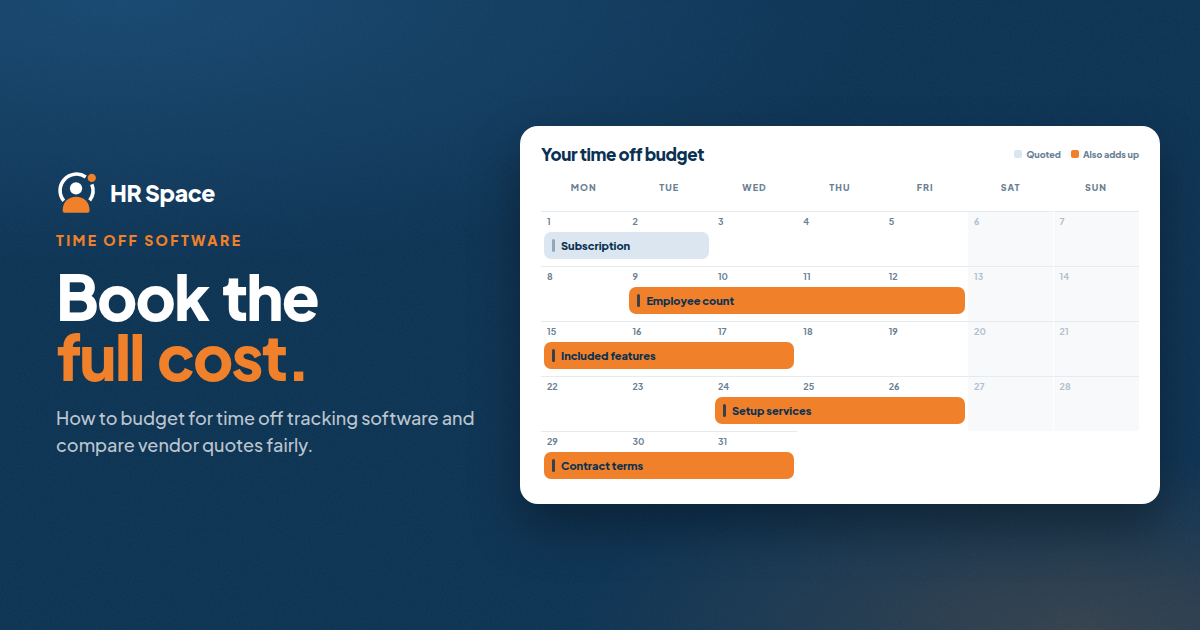
Time off tracking software has no single standard price. The total depends on the number of employees covered, the billing model, and the features included in the subscription. Setup services, support, and additional modules may also affect the final cost.
For a useful comparison, look beyond the headline price. Compare proposals with the same employee count, required workflows, and billing period.
In this guide, you'll learn how to:
-
Identify the main factors that affect time off tracking software costs.
-
Compare standalone leave management with modular HR software.
-
Build a realistic budget for your team.
-
Evaluate vendor proposals using consistent requirements.
What determines the cost of time off tracking software?
The most useful starting point is your company's actual requirements. A tool designed only for leave requests is not directly comparable with a platform that also covers onboarding, performance management, recruitment, and employee support.
Review these factors when requesting a quote.
| Cost factor | What to check |
|---|---|
| Employee count | How many employees are included in the billing calculation? |
| Subscription scope | Is time off tracking included, or is it a separately selected module? |
| Billing model | Is pricing based on employees, a flat subscription, or another structure? |
| Billing period | Is the quote monthly or annual, and what commitment does it require? |
| Setup and support | Are these services included or quoted separately? |
| Contract changes | How does the agreement handle changes in employee count or selected modules? |
Not every provider charges separately for each item. The purpose of this checklist is to establish what is included in each proposal and identify any additional commitments before you compare prices.
Standalone time off software vs. a broader HR platform
The type of solution you choose affects what you need to evaluate. Start with the processes your team needs to manage today.
Standalone time off tracking software
A standalone tool is worth considering when your main requirement is managing leave requests, balances, and approvals.
Its narrower scope can make the evaluation more straightforward. You can focus on whether employees can submit requests, managers can review them, and HR can check the resulting records.
However, a dedicated leave tool does not automatically cover other HR processes. If your company also needs onboarding, performance reviews, recruitment, or employee support, those requirements may need separate solutions.
Best fit: Teams with a clearly defined leave-management requirement and no immediate need to consolidate other HR processes.
Modular HR software
A modular HR platform lets a company evaluate time off tracking alongside other HR functions and select the scope that matches its needs.
HRSpace is a modular, per-employee cloud HR platform that includes time off tracking alongside functions such as onboarding, performance reviews, goals, recognition, recruitment, workflows, and an internal service desk.
This approach may suit growing teams that want to assess several people-management processes within one platform. The important step is to confirm which modules are included in the specific proposal and whether each one meets your requirements.
Best fit: Teams that need time off tracking and want the option to manage additional HR processes within the same platform.
A broader HR software purchase
A broader HR purchase makes sense when your company is reviewing several existing processes at once.
The evaluation may cover leave management, employee records, onboarding, performance management, and recruitment. This can create a more comprehensive buying project, but it also requires more requirements to validate and more stakeholders to involve.
A larger feature list does not automatically mean better value. Include additional modules when they address a defined business need, not simply because they are available.
| Approach | Best for | Main consideration |
|---|---|---|
| Standalone time off software | Companies focused on leave management | Other HR processes may remain separate |
| Modular HR platform | Teams selecting several HR functions | Confirm the price and scope of selected modules |
| Broader HR purchase | Companies reviewing multiple HR processes | More workflows and requirements need evaluation |
How to build a realistic software budget
Before comparing vendor prices, establish a common basis for every quote. This makes it easier to understand whether a difference comes from the billing model, the number of employees, or the scope of the solution.
1. Confirm your employee count
Start with the number of employees you need to cover. Ask each vendor to calculate its proposal using the same population and explain who counts as a billable employee.
If your company is planning for growth, you can also request a second scenario with a higher headcount. Keep that projection separate from the budget for your current team.
2. Define the required features
List the tasks the software must support. For time off tracking, these may include:
-
Submitting a leave request.
-
Reviewing and approving a request.
-
Checking leave records and balances.
-
Handling changes to a submitted request.
-
Resolving questions about the company's leave policy.
Add other HR functions only if they are part of the current project. This prevents optional features from obscuring the cost of the requirements you actually need.
3. Ask vendors to demonstrate your workflows
Use the same scenario with every shortlisted provider. Ask them to demonstrate the process from the employee's request through the manager's decision and HR's review of the resulting record.
Include an exception, such as a changed request or a policy question. A demonstration should establish whether the product supports your actual process rather than relying on a general feature description.
4. Check what the quote includes
Request written confirmation of the subscription scope, billing terms, included support, and any separately quoted services.
If setup assistance is offered, clarify which tasks your team must complete and which tasks the provider will handle. This helps you assess the expected internal effort without assuming a particular implementation timeline.
5. Compare the total commitment
Use the same billing period for each proposal. Separate recurring subscription charges from one-time services and optional modules.
For example, if a provider quotes a monthly rate per employee, calculate the subscription using the confirmed rate and billable employee count:
Monthly subscription = quoted monthly rate per employee × billable employee count
This calculation applies only when the provider uses that billing model. For flat-rate or other pricing structures, use the terms specified in the proposal.
What should a 50-employee company ask for?
A company with 50 employees can start by requesting a quote for the same 50-person population from every shortlisted vendor.
Then ask for two versions if you are considering a broader platform:
-
Core requirement: Time off tracking and the other functions your team needs immediately.
-
Expanded scope: Additional HR modules that address identified needs.
This comparison helps separate the cost of the immediate requirement from the cost of a wider HR project. If you are planning to grow, you can also ask how a higher employee count would affect the subscription.
These are budgeting scenarios, not estimates of what a specific provider will charge. The actual total must come from a quote based on your requirements.
Does per-employee pricing make budgeting easier?
Per-employee pricing connects the subscription calculation to the number of employees included in the agreement. It can make a quote easier to model, provided the billable population and rate are clearly defined.
However, the billing model alone does not determine whether a solution is affordable. You still need to check the included features, contract terms, and any additional charges.
HRSpace uses a modular, per-employee model. When evaluating it, confirm the employee count and the selected modules in your proposal, then compare those terms with alternatives offering the same scope.
The key is to separate two decisions: calculating the cost and determining whether the software meets your needs.
Questions to ask before choosing a provider
Before approving a purchase, ask each shortlisted vendor:
-
How is the billable employee count defined?
-
Which time off tracking features are included in the quoted subscription?
-
Are any setup or support services charged separately?
-
What happens to the subscription if our employee count changes?
-
Can you demonstrate our leave request and approval workflow?
-
Which additional HR modules are included, and which are optional?
-
What is the total commitment for the billing period we are considering?
Keep the answers with each proposal. This gives your team a clear record of the scope and commercial terms behind the decision.
FAQ
How much does time off tracking software cost?
There is no single standard cost. Pricing depends on the provider's billing model, employee count, included features, and contract terms. Request a quote based on your actual requirements before setting a budget.
What should a time off tracking software budget include?
Start with the subscription cost. Add any separately quoted setup, support, or additional services you intend to purchase. Keep recurring charges distinct from one-time costs.
How do I compare time off software for 50 employees?
Ask every shortlisted vendor to quote for the same 50 employees and the same required workflows. Confirm the definition of a billable employee and compare proposals over the same billing period.
Is standalone leave software cheaper than an HR platform?
Not necessarily. The two options may cover different requirements, so their headline prices may not be comparable. Evaluate the cost of the features you need, including any separate tools required to cover other HR processes.
Does HRSpace offer time off tracking?
Yes. HRSpace includes time off tracking within its modular, per-employee cloud HR platform. Its broader stated scope also includes onboarding, performance reviews, goals, recognition, recruitment, workflows, and an internal service desk.
Does per-employee pricing make costs predictable?
It can make the subscription easier to calculate when the rate and billable employee count are clear. Changes in headcount, module selection, and contract terms may still affect the total commitment.
What should I check during a software demo?
Ask the provider to demonstrate an employee submitting a leave request, a manager reviewing it, and HR checking the resulting record. Include a policy-specific example or an exception to verify that the workflow fits your team's needs.
Choose based on the full picture
The best way to assess time off tracking software costs is to compare the same requirements across different providers. Confirm the employee count, define the necessary workflows, review the subscription scope, and identify any additional charges.
If your team needs leave management alongside other HR functions, a modular platform such as HRSpace may be worth evaluating. Start with the processes you need today, confirm the modules included in the proposal, and use a consistent comparison before making a decision.
Related guides
Ready to make HR the easy part?
Explore modular pricing and start a free 14-day trial.