How Much Does an Employee Self-Service Portal Cost in 2026?
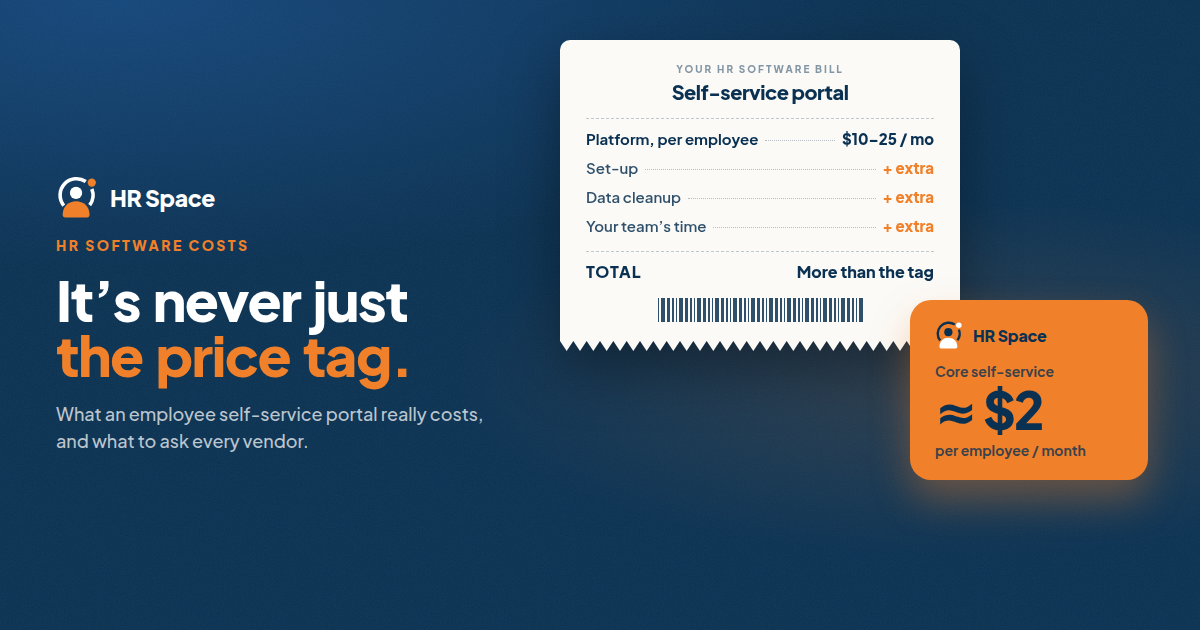
The short answer: you usually can’t buy an employee self-service (ESS) portal on its own. It’s the employee-facing part of an HR system, so its price is the price of the platform it comes with. That ranges from free small-team plans to roughly $10 to $25 per employee per month for mid-market HR software, and custom quotes for enterprise systems.
This guide explains what drives the price, what’s easy to miss, and how to compare quotes. It also shows what a self-service portal costs in HRSpace, where employee requests, time off and onboarding are part of the platform.
What a portal actually is
An ESS portal lets employees handle their own HR tasks: request time off, see their balance, update personal details, find documents, complete onboarding tasks and ask HR a question. Managers approve what needs approving.
Most HR platforms include one. When people ask how much a portal costs, they’re usually really asking how much the HR platform behind it costs.
What popular options cost
These figures come from vendor pages and third-party summaries. Pricing changes, and many vendors only quote on request.
| Option | Reported pricing | Notes |
|---|---|---|
| Small free plans | Free for up to about 5 to 10 users on some tools | Limited functions, and paid tiers follow |
| BambooHR | Core about $10, Pro about $17, Elite about $25 per employee per month; $250 per month minimum for 25 or fewer | Mid-market HR suite |
| Zoho People | Low entry pricing in some reviews | Add-on modules extra |
| Rippling | From about $8 per user per month, by quote | Modular |
| Enterprise suites | Custom quotes | ADP, Workday and similar |
Roundups put mid-market ESS tools at roughly $10 to $25 per employee per month. A custom-built portal costs more, because customising it for your processes raises the price on top of subscriptions.
What goes into the total
| Cost | What to find out |
|---|---|
| Subscription | Who counts as an employee, what’s included, the billing period and contract terms |
| Implementation | Who configures it, and whether it’s included or charged |
| Data preparation | Which records need importing or fixing, and who does it |
| Workflow set-up | Which requests, approvals and escalations are included |
| Training and support | What help exists for admins, managers and employees |
| Ongoing admin | Who maintains access, content and rules after launch |
Keep vendor charges separate from your team’s own time. A proposal can price the software clearly and leave data cleanup, process decisions and communication to you.
The pricing model matters as much as the number
Per-employee plans grow with every hire. Flat-fee plans don’t, but may have caps. Base-plus-modules plans depend on how many modules you need. Ask how the bill changes when headcount rises or falls, and when adjustments apply.
What a portal costs in HRSpace
HRSpace publishes its prices, so the arithmetic is simple. The employee-facing pieces:
- Base layer, $1 per employee per month: employee records, documents, time off and timesheets.
- Onboarding, $0.50: tasks for new hires.
- Service Me, $0.50: an internal service desk where employees send questions and requests, with routing rules, SLA targets and approval chains.
That’s $2.00 per employee per month for the core self-service set:
| Team size | Monthly cost |
|---|---|
| 20 employees | $40 |
| 50 employees | $100 |
| 100 employees | $200 |
Billing is monthly with no setup fee, and there’s a 14-day free trial with no credit card. Add Goals & Performance ($1), Recognition & Feedback ($0.66) or AI Recruitment ($1) if you need them.
HRSpace doesn’t process payroll, so budget for your payroll provider separately.
How to compare quotes
- Use the same employee count in every request.
- List the employee tasks that must work at launch: submit leave, complete onboarding, ask a question, find a document.
- Ask for a written inclusion list, covering modules, services, support and exclusions.
- Separate the first-year cost from the ongoing cost.
- Name a launch owner and a maintainer on your side.
Test an unresolved request
Don’t only watch a form being submitted. Put an unresolved request in the demo script. Ask the vendor to show who receives it, who owns it, what happens if it isn’t answered, and what the employee sees. That is where self-service portals succeed or fail.
Frequently asked questions
Can I buy an employee self-service portal on its own?
Rarely. It’s usually part of an HR platform. A few tools sell it as an add-on or build it as a custom project, which costs more.
How much does employee self-service software cost per employee?
Mid-market tools commonly fall around $10 to $25 per employee per month. Some start free for tiny teams, and others are cheaper per employee at small scale.
Is per-employee pricing the total cost?
No. Add implementation, data preparation, workflow set-up, support and the time your team spends.
What does HRSpace cost?
$1 per employee per month for the base layer, plus modules from $0.50 to $1. The core self-service set is about $2.00 per employee per month.
Can I try HRSpace before buying?
Yes, with a 14-day free trial and no credit card.
One last thing
Check that what the vendor demonstrates matches the written scope. If the demo stops at submission and your requirement includes resolution, you haven’t bought what you need yet.
Where to go from here
To see what self-service looks like for your own team, start a free 14-day HRSpace trial or check the pricing page. For wider price ranges, read our guide to HR software cost per employee.
Ready to make HR the easy part?
Explore modular pricing and start a free 14-day trial.