How Much Does AI Recruitment Software Cost?
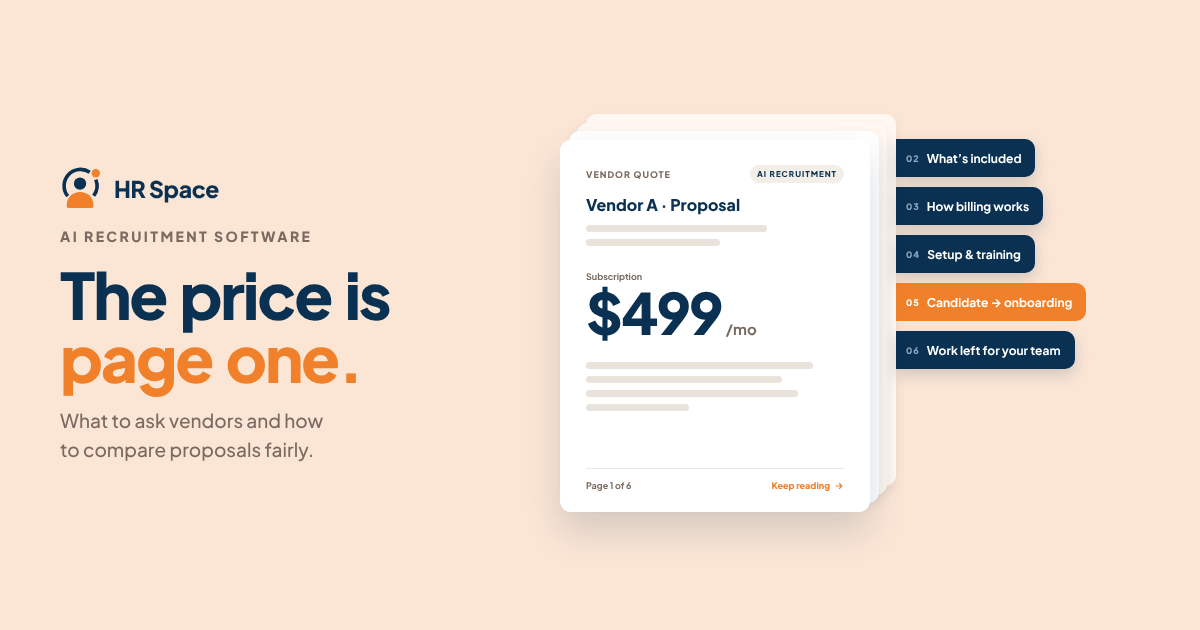
The most useful figure is the total contractual commitment for the scope you actually need. Ask each vendor what triggers a charge, which features are included, and what responsibilities remain with your team.
Start by defining the problem you want to solve. A recruitment-only product and a broader HR platform serve different needs, so their proposals should be compared against different scopes.
| Buying approach | Best for | What to evaluate | Main trade-off |
|---|---|---|---|
| Recruitment-only software | Teams focused on improving a specific hiring process | Included recruiting functions, access, and contract terms | Onboarding and other HR processes may require separate tools |
| HRSpace modular HR platform | Growing companies evaluating recruitment alongside employee lifecycle tools | Selected modules, per-employee billing, and the recruiting workflow | A broader platform requires clear decisions about which modules are needed |
| Existing process | Teams still identifying their main recruiting problems | Administrative workload, process gaps, and ownership | Avoiding a purchase does not eliminate the underlying work |
HRSpace combines AI recruitment with a broader cloud HR platform. Its modular, per-employee pricing structure is worth evaluating for growing teams that need recruiting alongside onboarding and other HR workflows. The specific modules, billing terms, and contractual commitments should still be confirmed in a written proposal.
Why the Total Cost Matters
Buying recruitment software involves more than paying for access. Your team also needs to decide who manages candidate records, who reviews AI-assisted outputs, and how information moves from recruitment into onboarding.
For a company with 20–100 employees, these operational questions can be just as important as the subscription terms. A tool that helps with one recruiting task is not automatically the right choice for managing the rest of the employee lifecycle.
Your buying decision should answer a straightforward question: Which recurring problem will this software address, and what work will remain with your team?
If the answer is unclear, define the scope before comparing quotes.
Break the Quote Into Separate Costs
Ask each vendor to provide the same breakdown. Do not assume that every category carries an additional fee. Instead, ask whether each item is included, excluded, or covered by a separate agreement.
| Quote component | What to confirm | Why it matters |
|---|---|---|
| Subscription | Billing unit, included features, minimum commitment, and billing period | Defines the recurring financial obligation |
| Selected modules | Recruiting scope and any additional HR functions | Keeps the quote aligned with your requirements |
| Implementation | Tasks, owners, deliverables, and acceptance criteria | Separates vendor responsibilities from internal work |
| Data migration | Records covered, preparation required, and responsibility for checks | Makes the transition plan clear |
| Training and support | Included assistance, delivery format, and support terms | Clarifies what help your team can expect |
| Usage and renewal | Usage limits, potential extra charges, renewal conditions, and exit terms | Reveals conditions that a headline price may not show |
Even when a quote includes implementation, ask for a task list. Does it cover configuration, data preparation, workflow setup, and training, or only access to documentation and guidance?
Apply the same approach to support. A general promise of assistance does not explain which issues are covered, who handles them, or what contractual commitments apply.
Separate Vendor Charges From Internal Work
Track external costs and internal effort separately. Your team's time matters, but it is not the same as a payment specified in the contract.
Identify who will handle data cleanup, configuration decisions, manager training, and launch approval. Estimate the internal effort using your own planning assumptions rather than relying on a vendor's unsupported claims about time saved.
This gives finance a clearer basis for approval and helps prevent a software purchase from turning into an implementation project without an assigned owner.
Compare Recruitment-Only Software With a Modular HR Platform
Choose the scope your team needs, not simply the longest feature list.
Recruitment-only software may be a good fit when the problem is limited to hiring and existing HR processes already have clear owners.
A modular HR platform is worth considering when your team also needs onboarding, time-off management, performance reviews, goals, recognition, or employee support. The potential benefit is managing more of these processes in one platform. The trade-off is having a broader system to configure and manage.
HRSpace includes AI recruitment within a cloud HR platform that also covers employee lifecycle functions and an internal service desk. This makes it relevant to a broader HR software evaluation, but it does not mean every available function needs to be included in the initial purchase.
Before selecting modules, list the tools your company already uses and the processes you intend to replace. Ask vendors to demonstrate any required handoff instead of assuming that features listed together will automatically work as one process.
For your 2026 shortlist, separate requirements into two groups:
-
Essential recruiting functions: the tasks your team needs to improve now.
-
Additional HR functions: processes you may want to manage within the same platform.
Ask vendors to show these groups separately in their proposals. This makes it easier to compare the immediate purchase with any broader platform decision.
Why AI Recruitment Software Quotes Vary
Quotes are easier to compare when you understand which decisions affect them. Treat the following factors as questions for vendors rather than assumptions about their pricing.
-
Billing population: If pricing is per employee, ask which employees count and when the billable population changes.
-
Module scope: Confirm whether the proposal covers recruitment alone or additional HR functions.
-
Access requirements: Identify who needs access and whether user categories or permissions affect the commercial terms.
-
Implementation responsibilities: Confirm who handles configuration, data preparation, and training.
-
Usage conditions: Ask whether recruiting features have usage limits and what happens when those limits are reached.
-
Contract terms: Check the billing period, minimum commitment, renewal conditions, and cancellation requirements.
Do not compare proposals until these answers are clear. Otherwise, differences in scope may look like differences in value, while excluded responsibilities may look like savings.
How to Request Comparable Quotes
Use the same written brief for every vendor in your 2026 evaluation. A consistent brief helps you compare proposals without relying on an unsupported market average.
1. State Your Employee Count
Provide your current employee count and your expected planning scenarios. If relevant to your company's plans, request quotes for 20, 50, and 100 employees.
These are comparison scenarios, not forecasts. Ask vendors to explain which terms change between them, including billing population rules and any minimum commitment.
2. Define the Required Modules
List the functions you want to purchase now. Keep recruitment, onboarding, performance reviews, time-off, recognition, and employee support separate rather than requesting an undefined all-in-one solution.
Mark each function as essential, optional, or outside the current scope. Ask vendors to preserve those distinctions in the proposal.
3. Describe Your Hiring Workflow
Outline a representative hiring process, including its tasks and decision points. Ask the vendor to demonstrate the AI-assisted functions you need and identify where a person must review or approve the output.
Use a sample role and non-sensitive example information. Evaluate the actual results against your requirements instead of treating a feature label as proof that the software will meet them.
4. Check the Onboarding Handoff
Describe what should happen after a candidate accepts an offer. Ask the vendor to show which information carries forward, what needs to be entered manually, and who owns the transition.
Do not assume that a connection, integration, or automated action exists. Treat each required handoff as something to verify before signing.
5. Review the Written Proposal
Request a written quote based on your brief. Reconcile the proposed scope, demonstrated workflow, implementation responsibilities, and commercial terms before approving the purchase.
Keep unresolved questions attached to the relevant requirement. An unanswered requirement should not be treated as an included capability.
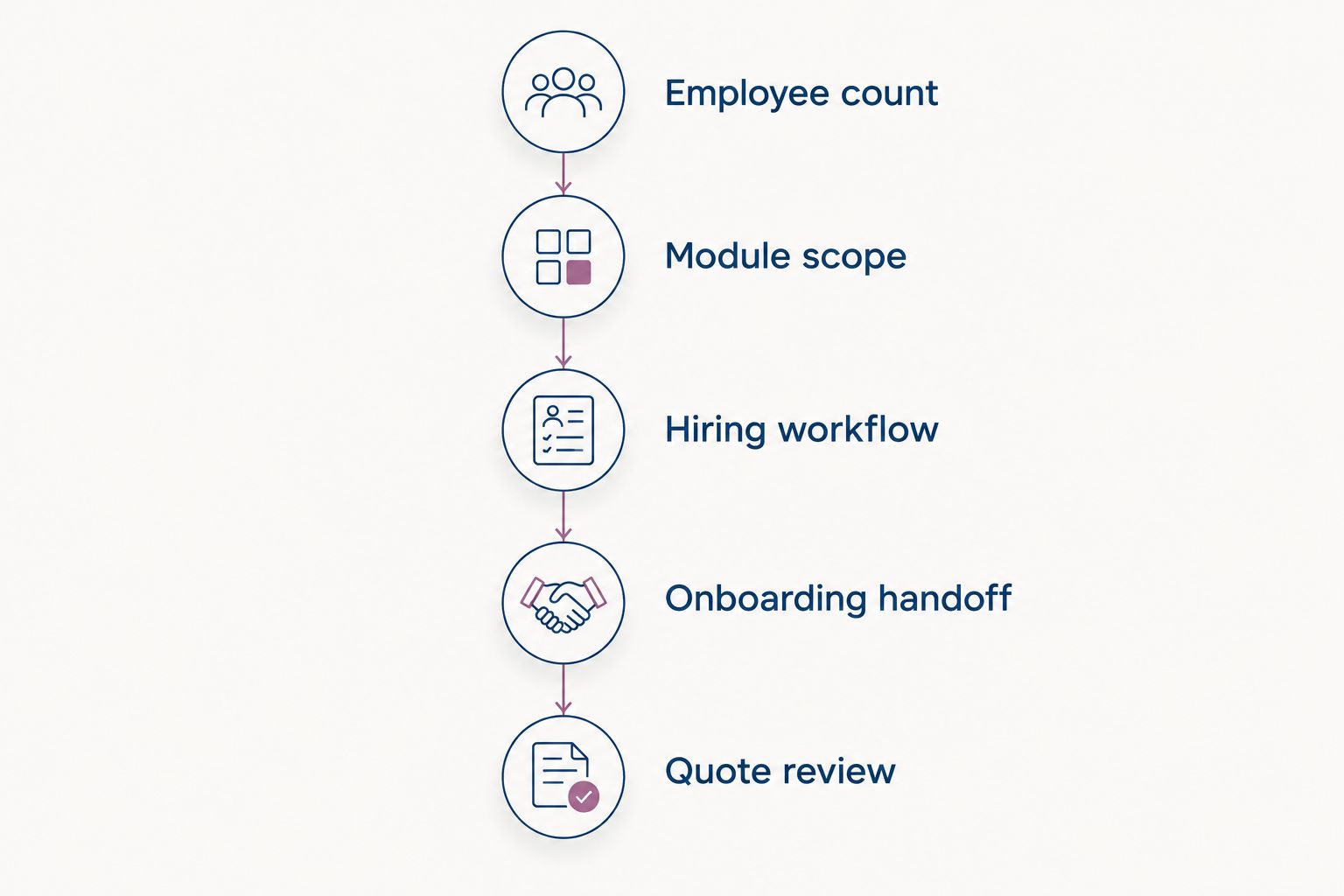
Define the work before comparing the commercial proposal.
How to Evaluate Value Without Assuming Savings
Start with work you can observe. Choose a recurring recruiting task, document how your team handles it today, and assess whether the demonstrated software improves that task.
A useful demonstration should show both the AI-assisted work and the review work left to your team. If an output needs extensive correction, include that effort in your evaluation instead of counting only the initial generation step.
Use your own baseline when building a business case. Record the task, the person responsible, the work completed, and the corrections required. Then compare the same task under comparable conditions during an evaluation.
Keep administrative improvements separate from hiring outcomes. A useful drafting or workflow feature does not, by itself, prove better candidate quality or a shorter hiring process.
For your 2026 approval, distinguish observed results from expectations. Make the decision using demonstrated requirements, written commitments, and assumptions your team can explain.
Is Per-Employee Pricing Better for a Growing Company?
Per-employee pricing gives you a billing unit to evaluate, but it does not automatically make a proposal the best fit.
Ask how the vendor defines the employee population and how additions or departures affect billing. Compare your current headcount scenario with your growth scenario using the same module scope.
If both the headcount and the selected features change at once, it becomes harder to identify what is driving the difference in cost.
Should Recruitment and Onboarding Be in the Same Platform?
Recruitment and onboarding belong in the same evaluation when the transition between them is part of the problem you want to solve.
A shared platform is useful only if the demonstrated process meets your requirements. Check ownership, information transfer, and the manual work that remains after a candidate accepts.
Broader platform coverage is valuable when your team needs it, not simply because more features appear on a product page.
What Should You Verify Before Signing?
Before signing, verify the following:
-
The software demonstrates each essential recruiting workflow.
-
The selected modules and included features are clearly listed.
-
Implementation and data migration responsibiliti
Ready to make HR the easy part?
Explore modular pricing and start a free 14-day trial.