How Long Does It Take to Implement HR Software?
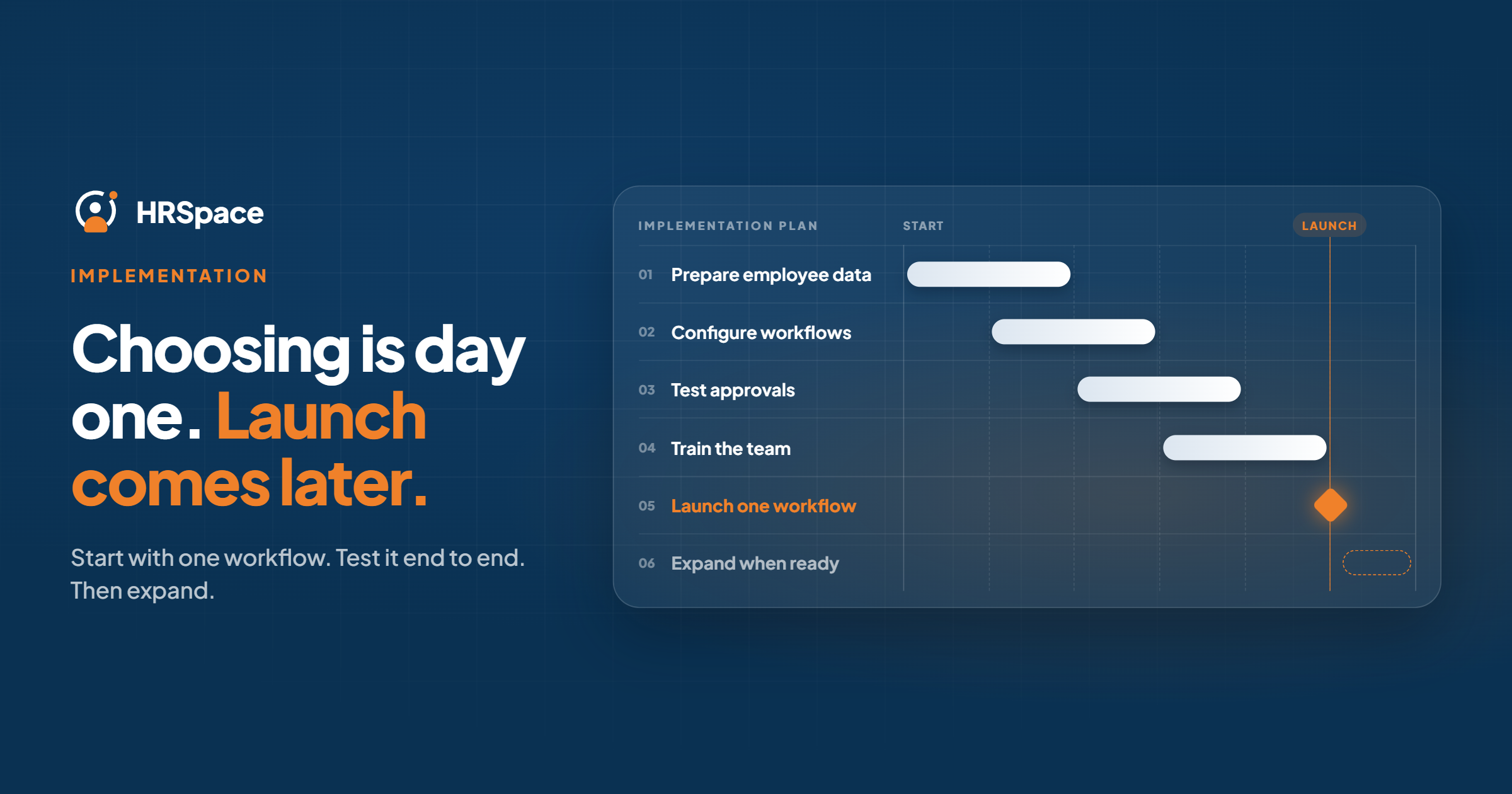
HR software implementation timelines depend on the modules you choose, the quality of your employee data, and the workflows your team needs to configure and test. A successful launch requires more than setting up accounts. It also involves data preparation, approval rules, workflow testing, and employee training.
For growing companies, the best way to estimate an HR software implementation timeline is to define what must work at launch, assign responsibilities, and agree on clear completion criteria.
This guide explains how to plan your HR software implementation, avoid common delays, and choose a rollout approach that fits your company's needs.
What Determines an HR Software Implementation Timeline?
There is no single implementation timeline that applies to every company. The work depends on the scope of the project and how prepared your team is before implementation begins.
Five factors have the greatest influence on the schedule:
-
Module selection: Implementing employee records and time-off workflows requires a different scope from introducing recruitment, performance management, and employee support together.
-
Data migration: Incomplete, inconsistent, or outdated employee records may require cleanup before they can be imported.
-
Workflow configuration: Approval rules, employee permissions, request routing, and responsibilities must be clearly defined.
-
Testing and training: Employees, managers, and administrators need to understand their roles and verify that the selected processes work correctly.
-
Internal availability: Delays can occur when key stakeholders are unavailable to provide information, approve decisions, or test workflows.
Before accepting an implementation estimate, ask the vendor which activities are included, which responsibilities belong to your team, and what conditions must be met before launch.
How to Plan an HR Software Implementation
A structured implementation plan helps your team identify dependencies early and avoid launching a system that is technically available but operationally incomplete.
1. Define Your Implementation Scope
Start by identifying the HR processes you want to improve first. These might include employee records, onboarding, time-off management, performance reviews, or internal service requests.
Separate essential launch requirements from features that can be introduced later. This prevents the project from expanding unnecessarily and makes it easier to evaluate progress.
For each process, define what successful completion looks like. For example, a time-off workflow should allow an employee to submit a request, the appropriate manager to review it, and the employee to understand the outcome.
2. Prepare Employee Data
Data migration is an important part of HR software implementation. Moving inaccurate records into a new system can create problems that are difficult to identify after launch.
Before importing employee information:
-
Identify the authoritative source for each required data field.
-
Resolve duplicate, incomplete, and conflicting records.
-
Verify employee details and reporting relationships.
-
Determine which historical records are required at launch.
-
Confirm the vendor's supported data-import methods.
After migration, compare the imported records against the approved source. A completed upload does not necessarily mean the data is accurate.
3. Configure HR Workflows and Permissions
HR software should reflect how your organization actually operates. Before configuring workflows, document who submits requests, who approves them, and who handles exceptions.
For example, an onboarding workflow may involve HR, the hiring manager, and IT. Each participant needs clear responsibilities and access to the information required for their tasks.
Confirm that the selected platform supports your required approval paths, permissions, and workflow rules. Resolve policy questions before treating configuration as complete.
4. Test the Complete Employee Experience
Testing should cover the entire process, not just whether a page or form opens successfully.
Use realistic scenarios to verify that:
-
Employees can access the tasks relevant to their roles.
-
Managers receive and process the requests assigned to them.
-
Notifications and approval steps work as expected.
-
Exceptions have a defined owner and resolution path.
-
Employees can understand the final status of their requests.
Document test results, fix identified issues, and retest affected workflows before approving launch.
5. Prepare Employees and Managers
Employee training is part of implementation, not an optional task after launch.
Prepare short, role-specific instructions explaining how employees complete routine tasks, how managers handle approvals, and how administrators resolve problems.
Test these instructions with representative users before publishing them. If employees cannot complete a task without additional explanation, improve the instructions or workflow.
6. Approve the Launch
Before going live, confirm that all essential workflows have passed their acceptance tests, required data has been verified, and employees know where to get support.
Document which processes are available at launch and which remain on the existing systems. Assign owners and target dates to outstanding work so employees are not left with conflicting instructions.
Phased Rollout vs. Full Implementation
Choosing the right rollout strategy can help control implementation complexity.
| Rollout approach | Best for | Main advantage | Main consideration |
|---|---|---|---|
| Phased rollout | Companies with one clear priority | Limits initial scope and makes testing more manageable | Dependencies between live and deferred processes must be addressed |
| Full-scope rollout | Companies that need several connected processes launched together | Establishes the agreed processes under one coordinated plan | Requires broader preparation, testing, and stakeholder involvement |
A phased rollout works well when the first workflow can deliver value independently. For example, a company may introduce employee records and a defined onboarding process before expanding into performance management.
A broader rollout may be more appropriate when several processes depend on one another and separating them would create unnecessary manual work.
Neither approach is automatically faster. Choose based on your operational requirements, available resources, and the dependencies between the processes being implemented.
Common Causes of HR Software Implementation Delays
Understanding the most common sources of delay helps teams build a more realistic implementation plan.
Unclear requirements. If stakeholders disagree about approval rules or process ownership, configuration and testing can stall. Document the required workflows before implementation begins.
Poor data quality. Conflicting employee records and missing information create additional cleanup work. Assign data owners and complete essential checks before migration.
Expanding scope. Adding modules or requirements after work has started can introduce new dependencies. Agree on the initial scope and establish a process for approving changes.
Insufficient testing. Testing only standard scenarios can leave important exceptions undiscovered. Include realistic employee, manager, and administrator tasks.
Limited employee preparation. If users do not understand the new process, support requests and workarounds can increase after launch. Provide clear instructions and a reliable support route.
Unclear vendor responsibilities. Some implementation activities may require decisions or resources from your company. Confirm responsibilities, dependencies, and expected deliverables before agreeing on a schedule.
How to Choose HR Software That Fits Your Implementation Plan
When evaluating HR software, compare vendors against the processes you actually intend to launch.
Look for:
-
Flexible module selection: Can you prioritize the processes you need without committing to an unnecessarily broad initial scope?
-
Workflow configuration: Can the platform support your approval rules, responsibilities, and exceptions?
-
Data migration support: Are import methods, validation steps, and migration responsibilities clearly documented?
-
Employee and manager usability: Can users complete routine tasks without extensive training?
-
Reporting and visibility: Can your team monitor requests, approvals, and workflow completion?
-
Implementation guidance: Does the vendor explain the setup process, required resources, and customer responsibilities?
Ask each vendor to estimate implementation against the same scope. A shorter quoted timeline is not necessarily better if it excludes data preparation, workflow validation, or employee training.
How HRSpace Supports a Modular HR Software Approach
HRSpace is a cloud-based HR platform designed to bring employee management and HR workflows into one workspace.
Its capabilities cover employee records, onboarding and offboarding, time-off management, performance reviews, goals, recognition, AI-powered recruitment, and an internal service desk.
For growing HR and People Operations teams, this range of capabilities provides options for selecting the processes most relevant to their needs.
When evaluating HRSpace for your implementation, identify the modules required for your first release, confirm the workflows and permissions they support, and clarify the responsibilities involved in configuration and launch.
A modular approach can help keep the initial scope focused, but every selected process still needs accurate data, defined ownership, and appropriate testing.
Explore HRSpace to assess how its HR management and workflow capabilities fit your implementation requirements.
Frequently Asked Questions
How long does it take to implement HR software?
The timeline depends on the selected modules, data quality, workflow complexity, testing requirements, and employee readiness. Request an estimate based on your specific scope rather than relying on a generic implementation timeframe.
What is included in HR software implementation?
Implementation typically involves defining requirements, preparing employee data, configuring workflows and permissions, testing processes, training users, and approving launch readiness. The exact scope depends on the software and the organization's needs.
What causes HR software implementation delays?
Common causes include incomplete employee data, unclear requirements, changing project scope, unresolved approval rules, insufficient testing, and limited stakeholder availability.
Should we implement all HR modules at once?
Not necessarily. A phased rollout can help teams validate a focused set of workflows before expanding. A broader launch may be appropriate when several processes need to work together from day one.
Can we implement HR software without migrating all historical data?
Potentially, yes. Identify which records are required for launch and determine which historical information can remain in existing systems. Confirm applicable record-retention obligations and the software's data-handling capabilities before deciding what to migrate.
What should we confirm before launching HR software?
Verify that required employee data is accurate, essential workflows pass testing, permissions and approvals work correctly, and employees know how to complete their tasks and access support.
Does HRSpace support a modular approach to HR management?
HRSpace offers capabilities across multiple HR processes, including employee management, onboarding, time-off, performance, recruitment, and internal service requests. Confirm the configuration and implementation requirements for the specific modules you plan to use.
Final Thoughts
Successful HR software implementation depends on more than choosing a launch date. It requires a defined scope, reliable employee data, tested workflows, and employees who understand how to use the system.
Start with the processes that matter most, agree on measurable launch criteria, and expand only when the initial workflows are working as intended.
The goal is not simply to implement HR software quickly. It is to establish processes that employees and HR teams can use reliably from day one.
Related Guides
Ready to make HR the easy part?
Explore modular pricing and start a free 14-day trial.