Employee Self-Service Portal for Construction Companies: A 2026 Guide
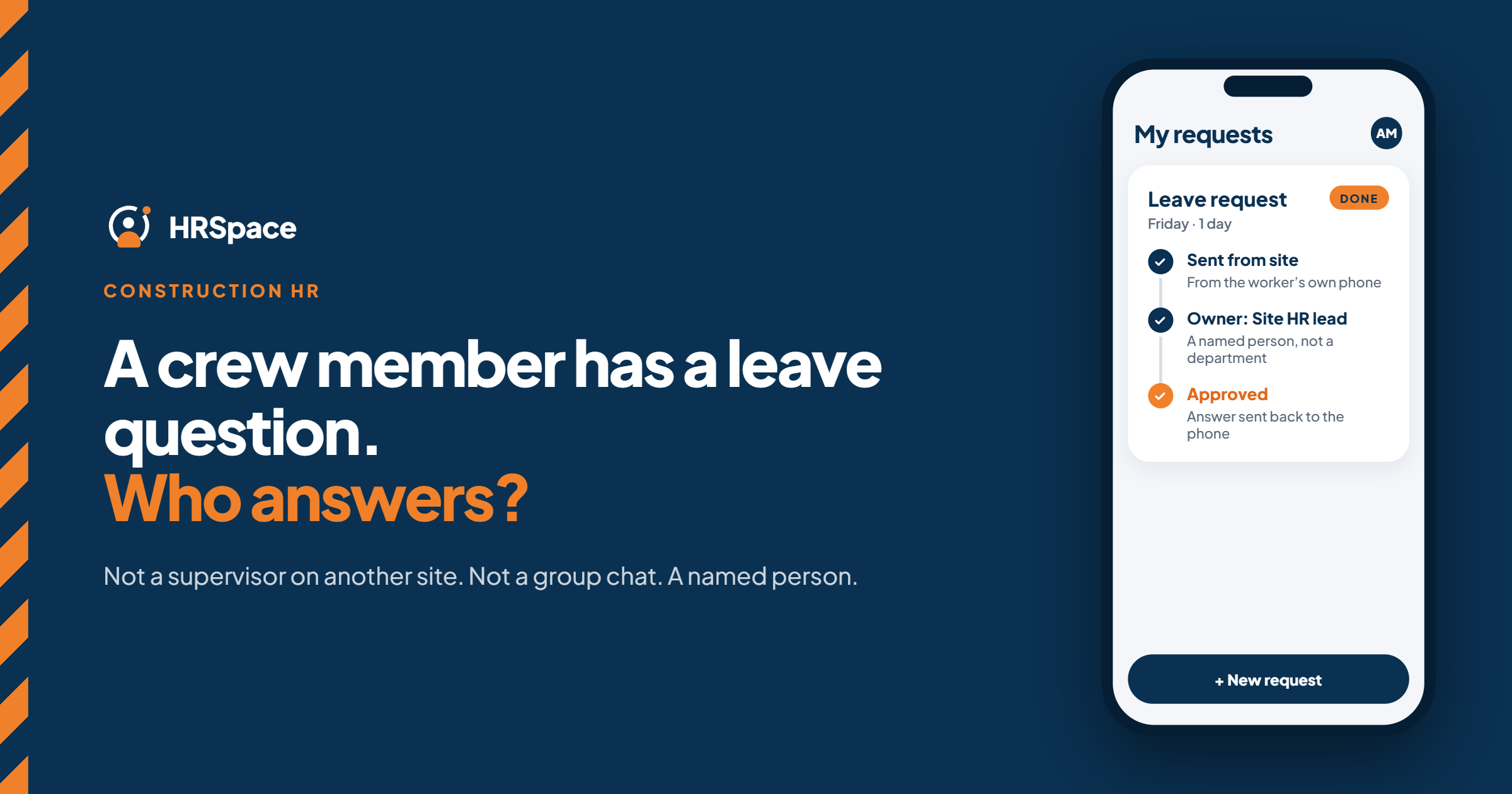
Construction HR has an awkward shape. The people who need HR the most, crews on site, are the furthest from the office. A worker who wants to request leave, check a policy or ask about their paperwork often phones a supervisor, who messages the office, which replies hours later.
An employee self-service portal fixes that by giving workers one place to submit requests, see who owns them and find the outcome. This guide covers what a portal should and shouldn't do in a construction company, what the main software categories are, and where HRSpace fits.
What a portal is, and what it isn't
A portal handles the everyday HR side: onboarding, time-off requests, employee questions, documents and approvals.
It isn't your payroll, your job costing or your safety system. Construction has specialist tools for those, and a general HR portal shouldn't pretend to replace them. Be clear on that line before you shortlist anything.
What construction teams need from it
- Easy access on a phone. Most crew members don't sit at a desk. Sign-in, password recovery and forms must work on the device they actually use.
- Short, simple requests. One clear task per form, with the next step visible afterwards.
- Supervisor approvals that follow the crew. When people move between sites or supervisors, the right person must still see the request.
- Visible outcomes. The worker should find the decision without phoning the office.
- A clear boundary with other systems. Know what stays in payroll, time tracking and safety records.
The software landscape
Roundups of construction HR software sort the options roughly like this:
- Construction HR and payroll suites such as Arcoro, Miter, Würk and Foundation Software, which emphasise certified payroll, union reporting and certification tracking.
- Field time-tracking apps such as ExakTime, ClockShark and BusyBusy, which focus on GPS clock-in, job costing and offline use.
- General HRIS platforms with mobile self-service such as BambooHR, Rippling and ADP Workforce Now.
Most companies end up with a combination. The mistake is expecting one tool to cover everything.
Where HRSpace fits
HRSpace is a general HR platform. It covers the employee-facing side of a construction company:
- Onboarding ($0.50 per employee per month): a task list for every new hire, with owners.
- Time off and timesheets (in the $1 base layer): requests with approvals.
- Service Me ($0.50): an internal service desk with routing rules, SLA targets and approval chains, so each request has an owner and a visible outcome.
- Goals & Performance ($1), Recognition & Feedback ($0.66) and AI Recruitment ($1) when you need them.
How HRSpace makes this easier
Most small construction companies run HR through phone calls and WhatsApp. That works until a message is missed, a supervisor is on another site or the office loses track of who decided what.
With HRSpace a worker submits a request once. It goes to the right person, a supervisor or HR approves it, and the worker can see the outcome. The office stops being the switchboard, and every decision has a record.
What it doesn't replace
HRSpace doesn't handle certified payroll, job costing, GPS or offline time capture, or safety-certification tracking. Keep those in your specialist systems and check the mobile experience on your crews' phones during a trial.
Roll it out in a way that works
Map the requests first. Look at the last month of calls, messages and paper forms. Group them by what the worker wanted done, and note who answered each one.
Name approvers, with backups. For each request type, decide who decides, who answers questions and who covers absences. Settle how it works when someone changes crews, and don't let transfers expose unrelated employee records.
Keep HR onboarding and site induction separate. Completing employment paperwork doesn't prove a worker meets a site's entry or safety requirements. Give each its own checklist, reviewer and authoritative record, and tell workers which tasks live outside the portal.
Test on real devices. Ask a crew member to find a policy, submit a request and find the answer on their own phone, without help. Include sign-in recovery.
Pilot with a small group. Include a supervisor, an office owner and workers in different situations. Watch for where they stop, double-submit or go back to chat.
Measure the outcome, not the logins. Count requests completed without an office follow-up, and look at misrouted and reopened ones.
A good test
After a request is approved, ask the worker to find the decision without contacting the office. Then ask a covering supervisor to find an unresolved request. If either fails, you have another inbox, not a shared process.
What it costs
For a 50-person construction company:
- Base layer (records, documents, time off, timesheets): $50/month
- Onboarding: $25/month
- Service Me: $25/month
- Total: $100/month, billed monthly with no setup fee
A 14-day free trial needs no credit card. Specialist payroll and field time tracking are separate.
Frequently asked questions
What is an employee self-service portal?
A shared place where employees complete HR tasks, submit requests and see outcomes, without chasing the office.
Can an HR portal replace construction payroll software?
No. Certified payroll, job costing and similar needs are specialist. Keep them in their own systems unless a replacement passes every requirement.
Does a construction portal need offline access?
If workers must complete tasks without a connection, yes, and you should test how unfinished submissions behave. Offline needs are often met by field time-tracking apps.
Is HRSpace a good fit for a construction company?
It fits the HR and employee-support side of a growing company. It doesn't cover certified payroll, job costing, GPS time tracking or safety-certification tracking.
Can I try HRSpace before buying?
Yes, with a 14-day free trial and no credit card.
Where to go from here
To see requests and approvals working, start a free 14-day HRSpace trial and test it on your crews' phones. You may also like our guides to HR service desks for multi-location retail and the recruitment to onboarding workflow.
Ready to make HR the easy part?
Explore modular pricing and start a free 14-day trial.