Employee Onboarding Checklist for Small Teams (Free Template)
In a small team, onboarding usually depends on one person remembering everything. When that person is busy, the new hire's laptop arrives on day three, nobody has booked their first one-to-one, and the welcome turns into a list of apologies.
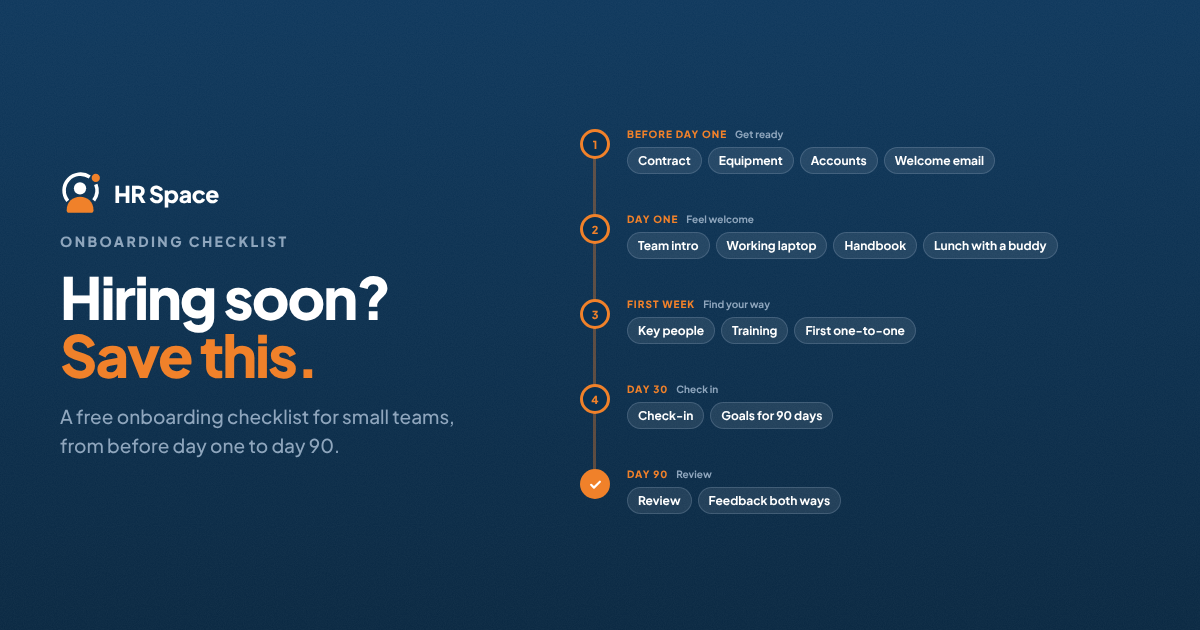
Quick answer: A good onboarding checklist for a small team covers five stages: before day one, day one, the first week, the first 30 days and the 60–90 day check-ins. Each task needs a named owner, not just "HR". Copy the checklist below, remove what doesn't apply to your company, and reuse it for every hire.
How to use this checklist
- Give every task an owner: HR or office manager, the manager, IT or a buddy.
- Set a date relative to the start date, for example "day –5" or "day 30".
- Keep one copy per new hire, so you can see what is done and what is waiting.
- Review it after every hire. Add what was missed, remove what nobody used.
Before day one
|
Task |
Owner |
When |
|---|---|---|
|
Send the signed contract and confirm the start date |
HR / office manager |
As soon as the offer is accepted |
|
Collect personal details, bank details and ID documents |
HR / office manager |
Day –10 |
|
Order laptop, phone and any equipment |
IT / office manager |
Day –10 |
|
Create email and system accounts |
IT |
Day –3 |
|
Add the person to the team calendar and chat channels |
Manager |
Day –3 |
|
Choose a buddy from the team |
Manager |
Day –5 |
|
Plan the first week's schedule |
Manager |
Day –2 |
|
Send a welcome email: time, place, who to ask for, what to bring |
Manager |
Day –2 |
The step from accepted offer to day one is where most small teams lose track. Our guide to the recruitment to onboarding workflow covers it in more detail.
Day one
|
Task |
Owner |
When |
|---|---|---|
|
Welcome in person or on a call, introduce the team |
Manager |
Morning |
|
Check laptop, accounts and access all work |
IT / office manager |
Morning |
|
Walk through the handbook: hours, leave, remote work, who to ask |
HR / office manager |
Day 1 |
|
Lunch or a coffee with the buddy |
Buddy |
Day 1 |
|
Agree the first small task |
Manager |
Day 1 |
|
End-of-day check: "What's still unclear?" |
Manager |
End of day |
First week
|
Task |
Owner |
When |
|---|---|---|
|
Meet key colleagues outside the team |
Manager |
Days 2–5 |
|
Finish any required training (security, data protection, tools) |
New hire |
Days 2–5 |
|
Explain the team's goals for the quarter |
Manager |
Week 1 |
|
First one-to-one: expectations for the first 30 days |
Manager |
End of week 1 |
|
Ask the buddy how the week went |
HR / office manager |
End of week 1 |
First 30 days
|
Task |
Owner |
When |
|---|---|---|
|
Weekly one-to-ones |
Manager |
Every week |
|
Agree two or three goals for the first 90 days |
Manager and new hire |
By day 30 |
|
30-day check-in: what's going well, what's missing |
Manager |
Day 30 |
|
Short feedback form on the onboarding itself |
HR / office manager |
Day 30 |
Days 60 and 90
|
Task |
Owner |
When |
|---|---|---|
|
60-day check-in on goals and support |
Manager |
Day 60 |
|
90-day review: progress on goals, feedback both ways |
Manager |
Day 90 |
|
Confirm the end of probation, if your contracts have one |
HR / office manager |
By the probation end date |
For what to cover in each check-in, see from onboarding to the 90-day review.
If the new hire is remote
- Ship equipment so it arrives at least two working days before the start date
- Replace the office tour with a 30-minute video call on where things live: tools, channels, documents
- Schedule short daily check-ins for the first week instead of relying on "ask if you need anything"
- Make sure the buddy is in a similar time zone
Common onboarding mistakes in small teams
- No owner for IT tasks, so access arrives late
- Everything on day one, so nothing sticks
- No goals for the first 90 days, so the new hire doesn't know what good looks like
- The checklist lives in one person's head, so it changes with every hire
How HRSpace runs this checklist for you
A checklist in a document works for the first few hires. After that, the problem isn't the list, it's following up on it: who has done what, and what is late. HRSpace's Onboarding add-on turns the checklist above into a digital onboarding flow, with tasks assigned to HR, managers, IT and buddies, document collection, and a pre-boarding stage before day one. Offboarding uses the same approach when someone leaves.
If you hire through HRSpace Recruiting, the new hire's details move straight from their candidate profile into onboarding, so nobody re-types them. Onboarding costs $0.50 per employee per month on top of the $1 Base Layer, and you can set up your own version of this checklist during the 14-day free trial. Read more about automating onboarding paperwork.
FAQs
What should an onboarding checklist include?
Tasks for before day one, day one, the first week, the first 30 days and the 60–90 day check-ins, each with an owner and a date.
How long should onboarding last?
For most roles, plan for about 90 days, with the heaviest work in the first week.
Who is responsible for onboarding in a small company?
Usually the office manager or HR coordinates it, but the manager owns most of the important tasks: goals, one-to-ones and introductions.
What is a 30-60-90 day onboarding plan?
A plan with check-ins at 30, 60 and 90 days to review goals, support and progress during a new hire's first three months.
Is there a free onboarding checklist template?
Yes. Copy the tables on this page and adjust the owners and dates to your team.
Ready to make HR the easy part?
Explore modular pricing and start a free 14-day trial.