Choosing an HR and Work Platform Around Real Team Workflows
Begin with a question that currently takes too long
Avoid starting with a list of every feature the organisation might use one day. Identify a recurring decision that requires people to collect or reconcile information from several places.
The question might concern project cover during leave, the effort spent on a changed client request, or the follow up from a performance review. Write down the people involved, the information they need, and the point where work slows down.
Describe a recent example. “We need better visibility” is difficult to test. “A project lead needs to confirm who can review a design while its owner is away” gives a vendor something concrete to demonstrate.
This also creates a clearer basis for internal discussion. The team can judge a proposed system by how it supports a shared task, rather than by whose preferred feature gets the most attention.
Trace how information moves between people
For the leave coverage example, begin when the absence is planned. Who needs to know? Which responsibilities may require cover? Who checks the covering colleague's existing commitments? Where will later changes be recorded?
Map the necessary handoffs in plain language. The goal is to understand where information must stay consistent and where a person must make a decision.
A platform containing several modules does not by itself answer these questions. Ask to see the specific relationship you need. Does the relevant information appear in the manager's working view? Does someone have to copy it? What happens after a date changes?
If the answer depends on configuration, an integration, or a manual step, include that in the evaluation. The ongoing work belongs in the decision alongside the initial demonstration.
Use a short evaluation table
|
Workflow to test |
Evidence to request |
Decision it supports |
|
Leave and project cover |
A realistic absence and changed assignment |
Whether managers can plan coverage |
|
Project effort |
Time recorded against relevant work |
Whether effort can inform planning |
|
Performance follow up |
An agreed action revisited later |
Whether review commitments stay usable |
|
Internal request |
Submission through final resolution |
Whether ownership remains clear |
|
Data changes |
A correction reflected where required |
Whether records remain consistent |
Choose the workflows that matter to your organisation. A team with simple project work and complex employee requests may need a different emphasis from an agency managing several client deliveries at once.
Ask the people doing the work to test it
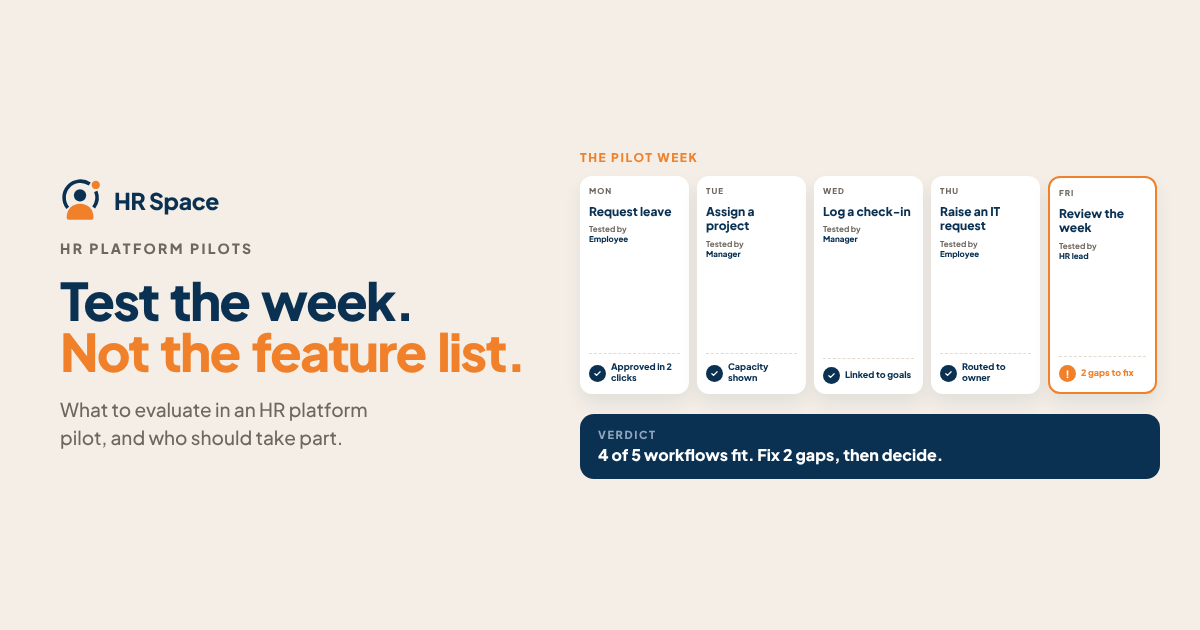
A demonstration can look smooth because the presenter knows every step. A pilot becomes more informative when employees, managers, and administrators try their own responsibilities.
Give each person a realistic task and observe where they need help. Can an employee find a request's status? Can a manager interpret the available project information? Can an administrator correct a record without creating an unexplained discrepancy elsewhere?
Agree on the permissions needed for each role. People should see the information required for their responsibilities. A manager's need to arrange project cover does not automatically mean every employee record belongs in that view.
Include ordinary exceptions: a cancelled absence, a returned timesheet, a request routed to the wrong team, or an employee moving between projects. These situations help reveal how the process will work after the initial setup.
Plan the move before committing to it
An existing spreadsheet may contain duplicate employee names, outdated project codes, or records nobody has reviewed for months. Moving those records into a new platform will not resolve their meaning by itself.
Choose the data needed for the first workflow. Identify who can confirm its accuracy and how the team will handle ambiguous records. Keep a clear record of any decisions about what moves and what remains elsewhere.
Ask about importing and exporting the information you need, supported file formats, available integrations, and the boundaries of the proposed plan. Confirm the exact capabilities rather than assuming they follow from a module name.
Budget for the work people will do: configuration, cleanup, training, process decisions, and ongoing administration. A workable implementation plan names owners for those responsibilities.
Decide what would make the pilot worthwhile
Before starting, agree on a small set of practical success criteria. For leave coverage, the project lead might need to find the agreed cover owner and current commitment without collecting separate messages. Another workflow may need a different test.
Review the pilot against those criteria with the people who used it. Discuss the unresolved steps as well as the successful ones. If the workflow still needs several manual updates, decide whether that is acceptable and who will own them.
HRSpace presents HR, projects, timesheets, goals, reviews, and internal requests in one platform. Use those areas as a starting point for questions. Ask the team to demonstrate your chosen workflow, including the exceptions, using the modules and setup actually proposed for you.
FAQs
When should a team review its current tools
Look for repeated coordination problems that affect useful decisions, such as reconciling leave with project commitments or chasing updates across systems. A concrete recurring problem gives the evaluation a clear purpose.
Does having several modules mean the workflow is connected
You need to verify the specific connection your team requires. Ask how information moves, which updates are automatic, and where configuration or manual action remains necessary.
Who should take part in a platform pilot
Include the employees, managers, and administrators who perform the selected workflow. Their tasks and permissions differ, so each group can reveal practical requirements that a single demonstration may miss.
What should be prepared before moving data
Define the first workflow, identify the records it needs, and name someone who can check their meaning and accuracy. Resolve duplicates and unclear ownership before relying on the new records for decisions.
Evaluate one real workflow from start to finish
Book an HRSpace walkthrough around a recent team scenario. Ask what the employee, manager, and administrator would each do, and use that demonstration to define a practical pilot.
Further reading
Ready to make HR the easy part?
Explore modular pricing and start a free 14-day trial.