Candidate Database Cleanup That Makes Your Next Search Easier
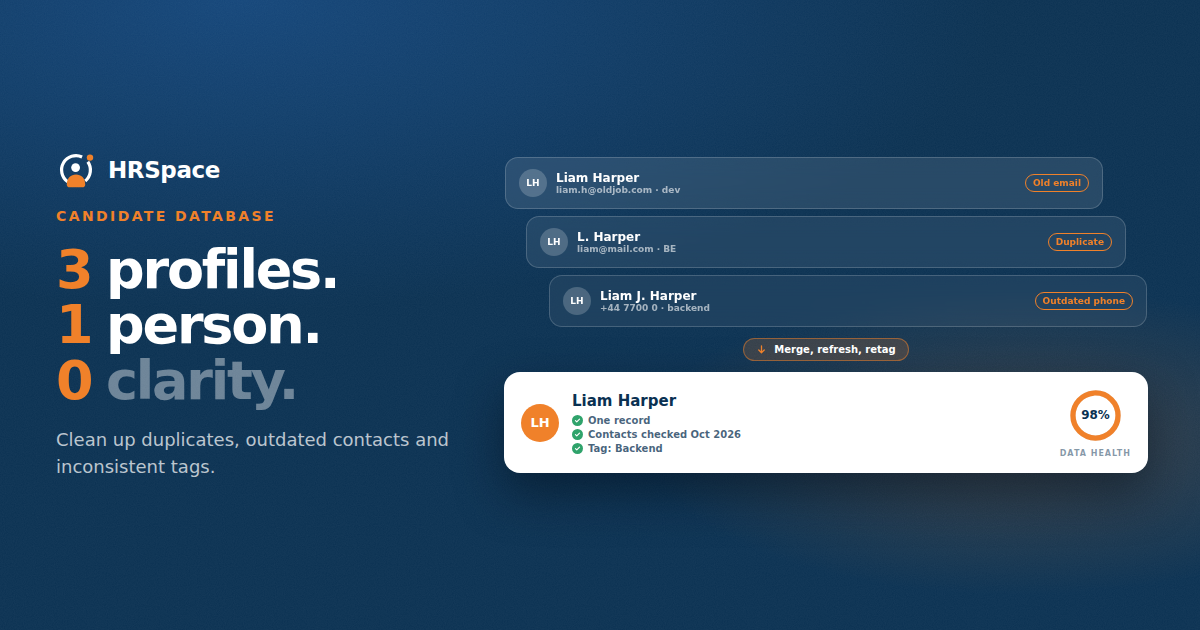
You search your candidate database for a finance manager and find three versions of the same person. One says they are open to work. Another has a phone number that no longer works. The newest record contains a useful conversation, but you only notice it after sending a message to the old address.
That is a candidate database cleanup problem. The records exist, yet you cannot confidently use them. Adding more profiles will not solve it.
For independent recruiters and small agencies, cleanup works best when it supports a real search. Start with the information your team needs to make a sensible approach, then decide what to correct, combine, or review. You do not have to reorganize every record before getting value from the work.
Start with the records you actually use
Choose a manageable slice of the database. That might be candidates in your main specialism, people contacted during recent searches, or records returned by a saved search you run every week.
Look for problems that interrupt recruiting. Missing contact details prevent an approach. Conflicting location information sends people into the wrong shortlist. A note with no date leaves you guessing whether a salary expectation is still relevant.
Record the problem and its effect before changing fields. If recruiters keep opening several records to find the latest conversation, duplicate handling deserves attention. If relevant people never appear in searches, review the fields and terms used to describe their work. These are different problems with different fixes.
Agree what belongs in a usable candidate record
A profile does not need to be complete in every possible field. It needs enough reliable information for the next decision. For an initial approach, that could mean a name, a working contact route, relevant experience, and a record of the last interaction.
Availability, preferred working arrangement, and compensation expectations can be useful too. Keep their source and date visible. A candidate's circumstances can change, and an old conversation should not quietly become a permanent label.
Decide which fields your agency treats as essential at each stage. A newly sourced prospect may have limited information. A candidate ready for client review needs a more current and verified record. Requiring the same level of detail from both can encourage guesswork.
|
Record issue |
Useful correction |
Check before changing it |
|
Multiple profiles for one person |
Review and combine where appropriate |
Identity and interaction history |
|
Old contact details |
Confirm or mark for review |
Source and most recent successful contact |
|
Conflicting job information |
Preserve a dated employment history |
Which information is current |
|
Unclear availability |
Record the last confirmed position |
Date and wording of the conversation |
|
Inconsistent specialism tags |
Apply agreed terms |
Actual experience behind each label |
|
Notes without context |
Add a clear date and source when known |
Whether the note can be verified |
Review duplicates before merging them
Matching names are a starting point. They are not enough to establish that two profiles belong to the same person. Compare contact details, employment history, and the information already available in the records.
Before merging, check what happens to notes, attachments, applications, and communication preferences. A technically successful merge can still make the record less useful if it loses the history recruiters rely on.
Try the process with a small set first. Keep a record of what changed and use the system's available review or recovery options. If a match is uncertain, leave it for manual review rather than forcing the records together to reduce a duplicate count.
Separate confirmed facts from recruiter interpretation
“Candidate prefers remote work” and “might prefer remote work because they live far away” mean different things. A database that stores both as the same field will mislead the next recruiter.
Write observations in a way someone else can understand. For example, “On 8 October, Alex said they would consider two office days a week” is useful context. “Flexible” may be too vague to support a recommendation.
Keep assessments tied to a role or conversation. A candidate who was unsuitable for one position may fit another. Avoid turning a previous rejection into an unexplained global rating that follows them through every future search.
Make tagging useful for retrieval
Look at the terms recruiters actually type when starting a search. Your tagging system should help those searches produce relevant results.
An agency recruiting accountants might distinguish financial reporting, management accounting, and audit experience. Adding dozens of overlapping variations without definitions can make filtering less reliable. Agree when to apply a term and let recruiters see what it means.
Do not try to capture every detail through tags. A short note about the person's actual responsibilities can explain more than a broad label. Use structured fields for information you need to filter consistently and narrative notes for context that needs a sentence.
Create a route for information that needs checking
Some records cannot be fixed from what you already have. Mark the uncertainty and decide whether it matters to a current search.
If a candidate may fit a live role, a relevant conversation can confirm their current interests and experience. If they are not relevant to active work, schedule review according to your database maintenance process rather than sending a generic message just to fill fields.
Respect the person's contact preferences and your organization's rules for candidate information. Cleanup should make those instructions easier to follow. It should not remove them as inconvenient old data.
Give routine maintenance an owner
A one-off cleanup will not help for long if each recruiter continues creating records differently. Agree who maintains shared terms, reviews uncertain duplicates, and decides how changes are documented.
Keep the daily expectations small. After a meaningful conversation, update the relevant information and date it. Before creating a new profile, check for an existing record. When a contact route fails, record the result so the next recruiter does not repeat the same attempt.
Review a sample of recently used records with the team. Ask whether another recruiter could continue the conversation without requesting a separate explanation. That is a more useful test than counting how many optional fields have been completed.
What to test in a recruitment system
Take a few anonymized record examples to an HRSpace Recruitment demo. Include a duplicate, an outdated profile, and a candidate with applications for different roles.
Ask how the proposed setup handles search fields, history, duplicate review, and contact preferences. Confirm the behavior you need before planning a cleanup around it. A demo using an untidy record will tell you more than one using a freshly created profile.
FAQ
How often should recruiters clean a candidate database
Update useful information during everyday recruiting and schedule focused reviews for recurring problems. The right frequency depends on how actively the records are used and how quickly the information changes.
Should old candidate profiles be deleted
Follow your organization's approved process for retaining and removing candidate information. Age alone does not establish whether a record is useful or whether it should remain in the database.
What is the first step in candidate database cleanup
Choose a defined group of records and identify the problems that prevent reliable searches or candidate communication. Set the correction rules before changing a large volume of data.
Can duplicate profiles be merged automatically
Some systems offer automated matching or merging. Check how identities are matched, which information survives, and how uncertain cases are reviewed before using it broadly.
Clean the next search before the whole database
Run one search your team uses often. Review the records that should be usable, correct the information you can verify, and mark what still needs a conversation. Then run the same search again and see whether the results are easier to act on.
Ready to make HR the easy part?
Explore modular pricing and start a free 14-day trial.