Can Time Off Tracking Software Integrate With Payroll?
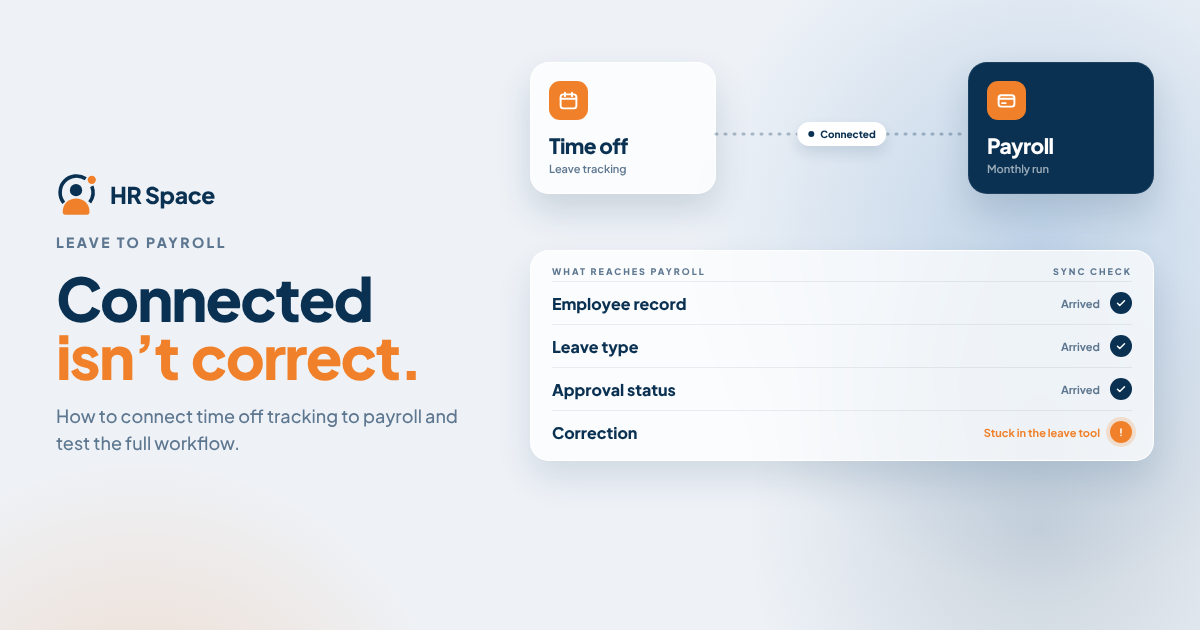
Yes, time off tracking software can integrate with payroll through a supported connector, an API connection, or a compatible file import. The right option depends on the systems your company uses and the information payroll needs to process absences correctly.
A successful integration must do more than transfer dates. It should match the correct employee, preserve the leave type and approval status, and provide a clear way to handle changes or rejected records.
In this guide, you'll learn how payroll integrations work, what to verify before choosing a solution, and how to test the process before using it for a live payroll run.
How does time off tracking software integrate with payroll?
Time off tracking software can exchange leave information with payroll when both systems support a compatible transfer method.
The three common approaches are:
| Integration method | Best for | Main consideration |
|---|---|---|
| Supported connector | Systems with a documented integration | Verify which data and workflows the connector supports |
| API connection | Teams with technical resources and specific requirements | Requires configuration, monitoring, and maintenance |
| File import | Systems that support compatible export and import formats | Requires a controlled transfer and review process |
A general integration claim does not guarantee that every leave type, approval change, or cancellation will transfer automatically.
Before choosing a solution, ask the vendors to demonstrate the exact workflow you intend to use. Confirm what triggers the transfer, which fields are supported, and what happens when a record cannot be processed.
1. Supported connector: verify the actual workflow
A supported connector is a useful starting point when your time-off software and payroll provider document compatibility.
The main advantage is that you can use an existing connection rather than building the entire transfer process yourself. However, the connector may support only specific fields, events, or workflows.
During the demonstration, check:
-
Approval status: Does the transfer include only approved absences?
-
Leave types: How are paid and unpaid leave categories mapped?
-
Transfer timing: When does payroll receive the information?
-
Corrections: What happens if an approved request changes or is canceled?
-
Failed records: Where are errors displayed, and who resolves them?
Ask for evidence that the connector supports your actual leave process, not just confirmation that the two products appear on an integration list.
Best for: Companies whose exact systems have a documented connector covering their required workflow.
2. API connection: assign technical ownership
An API allows software systems to exchange information through supported interfaces. It can be an option when a ready-made connector does not meet your requirements but both systems expose the necessary functions.
The advantage is flexibility within the capabilities supported by the APIs. The trade-off is technical responsibility.
Someone must configure the connection, manage credentials, monitor failures, and maintain it when either system changes.
Before proceeding, ask the technical owner to document:
-
Which system sends the leave record.
-
Which system receives and processes it.
-
How employee records are matched.
-
How updates and cancellations are identified.
-
How duplicate transfers are prevented.
-
Who monitors errors and maintains the connection.
Access to employee data does not automatically mean an API supports approved leave, cancellation events, or payroll inputs. Verify the available functions before estimating the work.
Best for: Companies with specific integration requirements and a designated technical owner.
3. File import: control the manual handoff
A file-based integration exports leave records from the time-off system and imports them into payroll.
This approach can be suitable when the payroll system accepts the required format. It also allows the payroll team to review the records before importing them.
However, the process still requires someone to select the correct period, validate the file, import the records, and resolve errors.
Ask the vendors for a sample export and the payroll system's import specifications. Check:
-
Employee identifiers.
-
Leave dates and payroll periods.
-
Leave categories and payroll codes.
-
Date formats.
-
Whether quantities are recorded in days or hours.
-
How changes to previously exported records are handled.
Keep a record of imported entries so the team can identify corrections and avoid processing the same absence twice.
Best for: Companies whose payroll systems accept the required file format and whose payroll team can manage the transfer.
A file import should not be described as automatic synchronization unless the actual workflow supports it.
What information needs to transfer correctly?
A useful payroll integration transfers enough information for the receiving system to interpret each absence correctly.
| Data element | What to verify | Why it matters |
|---|---|---|
| Employee identifier | How the employee is matched across systems | Prevents records from being assigned to the wrong person |
| Absence dates | Which dates belong to the relevant payroll period | Keeps the record aligned with payroll processing |
| Leave type | How HR categories map to payroll codes | Supports the intended payroll treatment |
| Quantity and unit | Whether the transfer uses hours, days, or another supported unit | Prevents incompatible values |
| Approval status | Which status makes a record eligible for transfer | Helps keep pending requests out of the approved-leave workflow |
| Record reference | How the original absence and later changes are identified | Supports correction and duplicate handling |
Ask the vendor to show the original leave record alongside the resulting payroll record. A successful transfer message alone does not prove that the information was interpreted correctly.
How to test a time-off and payroll integration
Before relying on an integration for live payroll processing, test the complete workflow using test records or a vendor-approved test environment.
Step 1: Verify employee matching
Submit a test leave record and confirm that it reaches the correct employee in payroll. Check the identifier used to match records rather than relying on the employee's name alone.
Step 2: Confirm leave categories
Document how each relevant leave type maps to payroll. Include paid and unpaid categories where applicable, and confirm the expected treatment with the responsible payroll owner.
Step 3: Test approval rules
Verify which approval status triggers the transfer. A pending request should not enter the approved-leave workflow if the agreed process requires approval first.
Step 4: Inspect the destination record
Check the employee, dates, leave type, quantity, and payroll period. Confirm that the receiving system has accepted the data in the intended format.
Step 5: Reconcile the results
Compare the approved source records with the records accepted by payroll. Investigate missing, rejected, or duplicated entries before considering the test complete.
Step 6: Test changes and cancellations
Change or cancel an approved request and inspect what happens in payroll. Establish how the team handles a change made after the payroll cutoff.
Keep the test results as part of your implementation documentation. They give HR and payroll a shared reference for handling exceptions later.
What affects payroll integration requirements?
The right integration depends on the way your company manages leave and processes payroll.
Consider these factors before comparing solutions:
-
Payroll provider: Available connectors, APIs, and import formats determine which transfer methods are possible.
-
Leave policies: Paid and unpaid leave may require different mappings and treatment.
-
Employee schedules: Confirm how working time is represented before converting days into hours or the other way around.
-
Payroll cutoff: Define how late approvals, changes, and cancellations are handled.
-
Technical ownership: Assign responsibility for configuration, monitoring, maintenance, and errors.
-
Correction process: Decide who reviews and resolves discrepancies after a transfer.
Compare the actual data and workflows supported by each option rather than relying on the word “integration” in a product description.
Where HRSpace fits
HRSpace is a modular cloud HR platform with stated capabilities that include time-off management, onboarding, performance reviews, goals, recognition, AI-assisted recruitment, workflows, and an internal service desk.
For growing HR and People Operations teams, it may be worth evaluating when time-off tracking is part of a wider employee-management process.
However, time-off functionality does not establish compatibility with a particular payroll provider. Before making a decision, ask HRSpace to confirm whether your payroll system is supported and request documentation or a demonstration of the exact transfer workflow you need.
Verify the supported fields, correction behavior, and operational responsibilities before treating payroll connectivity as a selection criterion.
Does approved paid leave always change an employee's pay?
No. Approved paid leave does not automatically mean that an employee's gross pay must change.
The payroll treatment depends on the employee's pay arrangement, the applicable leave policy, and the rules used by the payroll system.
Your integration specification should define what each absence record means. Do not assume that every approved absence requires a deduction or that every paid-leave record can be ignored.
Can you keep your existing payroll system?
Yes, provided your existing payroll system supports a compatible connector, API workflow, or file import that meets your requirements.
Evaluating time-off tracking software does not automatically mean you need to replace payroll.
Start by checking what your current payroll system can accept. Then verify that the time-off platform can supply the necessary information in a supported format and that your team has a workable process for corrections.
Does payroll integration remove manual checks?
No. Integration can reduce manual data transfer, but it does not eliminate the need to review exceptions and reconcile results.
A transfer may fail, an employee record may not match, or an approved request may change after the original information has been sent.
Assign responsibility for identifying and resolving these issues. The objective is a repeatable, controlled process—not an assumption that every transferred record is automatically correct.
FAQ
Can time off tracking software integrate with payroll?
Yes. It can integrate through a supported connector, an API connection, or a compatible file import. Confirm employee matching, leave categories, approval status, and correction handling for your specific systems.
What is the best way to connect leave tracking to payroll?
A documented connector is a sensible first option when it supports your exact workflow. An API connection or file import may be appropriate when the required functions and operational responsibilities are clearly defined.
Can unpaid leave transfer into payroll?
It can if the connection supports the relevant leave category and payroll mapping. Confirm the intended payroll treatment rather than assuming that transferring an absence automatically produces the correct deduction.
Will canceled leave update payroll automatically?
That depends on the specific integration. Ask the vendor to demonstrate a cancellation and explain how the change is handled before and after the payroll cutoff.
Does HRSpace integrate with my payroll provider?
HRSpace's stated HR capabilities do not, by themselves, confirm compatibility with a specific payroll provider. Ask for confirmation and evidence of the exact leave-to-payroll workflow you need.
Do I need an IT team for payroll integration?
Requirements depend on the connection method. A custom API connection needs technical ownership, while a supported connector or file import still needs someone responsible for monitoring the process and resolving exceptions.
What should I ask a vendor to demonstrate?
Ask the vendor to show an approved absence reaching payroll, followed by a change, a cancellation, and a rejected record. Check the resulting employee, dates, leave type, quantity, and correction process.
Final checklist
Before relying on a time-off tracking and payroll integration, confirm that:
-
The two systems support the proposed connection method.
-
Employee records match correctly.
-
Leave categories map to the intended payroll treatment.
-
Only eligible records enter the agreed workflow.
-
Changes and cancellations have a defined process.
-
Failed transfers can be identified and resolved.
-
HR and payroll responsibilities are documented.
Ask the vendor to demonstrate a failed transfer as well as a successful one. The successful example shows what should happen; the failed example reveals who identifies the problem and how the corrected record reaches payroll.
Related guides
Ready to make HR the easy part?
Explore modular pricing and start a free 14-day trial.