Can HR Software Handle Multi-State Compliance?
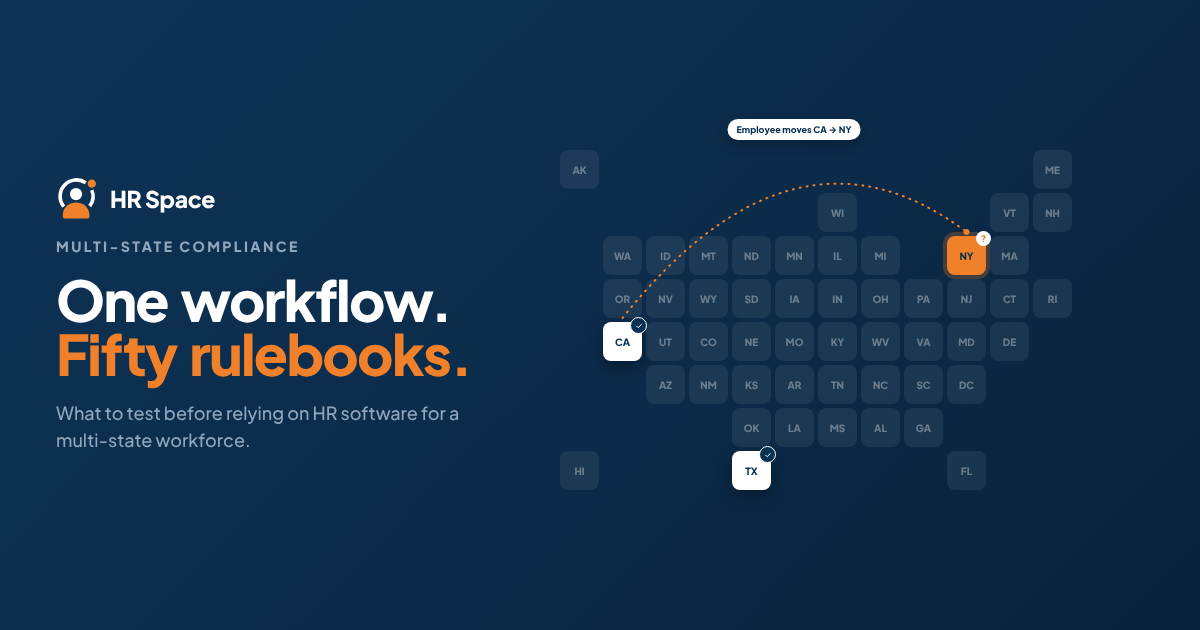
HR software can support your compliance processes, but your organization must ensure those processes are correct.
A policy library, an approval workflow, and a completed checklist serve different purposes. None of them automatically proves that every applicable legal requirement has been met.
Use the following steps to evaluate a platform:
-
Map employee work locations. Identify where employees perform their work and which changes require additional review.
-
Identify applicable requirements. Work with qualified advisers to determine which obligations apply to your workforce.
-
Test configured workflows. Check whether the software supports the required tasks, approvals, and records.
-
Assign responsibility for exceptions. Make sure unclear cases have a designated owner.
-
Verify recordkeeping. Confirm what the system stores and what authorized users can retrieve later.
Start with onboarding paperwork. It provides a practical example of why collecting a document and confirming its legal sufficiency are two different tasks.
Why multi-state compliance matters
A growing company with 20–100 employees needs repeatable HR processes without assuming that every employee follows the same rules.
An employee may change work locations, a policy may need to be reviewed, or an exception may require additional action. Your team needs to know who is responsible and how to confirm that the necessary steps have been completed.
When evaluating software in 2026, focus on these handoffs rather than relying on a broad feature list. Ask who reviews a new work location, who approves policy changes, and how approved updates reach payroll or other responsible teams.
Choose software based on demonstrated capabilities, not a general compliance claim. Ask the provider to show the workflow, identify the responsible person, and demonstrate the resulting record.
Separate HR administration, payroll, and legal review
Multi-state compliance is not a single software feature. Before comparing providers, identify the different responsibilities your company needs to manage.
| Function | Primary purpose | Potential benefit | What to verify |
|---|---|---|---|
| HR workflow software | Organizing employee processes | Keeps tasks, approvals, and employee information together where supported | Whether the configured workflows meet your actual requirements |
| Payroll software or service | Processing payroll responsibilities | Supports the payroll activities included in the provider's scope | Supported jurisdictions, registrations, calculations, filings, and employer responsibilities |
| Qualified legal review | Interpreting applicable requirements | Helps resolve questions that require legal judgment | Who translates legal advice into operational procedures and software configuration |
These functions can complement one another, but buying one does not automatically cover the others.
Ask providers to explain exclusions as clearly as included features. If a responsibility falls outside the contract, assign it internally or to another provider before implementation.
Onboarding: test location-specific requirements
Onboarding is a useful starting point because it reveals the difference between a generic checklist and a process configured for your organization's requirements.
Ask whether administrators can maintain different document requirements, assign relevant tasks, and retrieve completion records.
Use two demonstration scenarios: a new employee in a state where your company already operates and a new employee in a state where you plan to expand. These scenarios help test the software; they do not establish that the provider supports either situation.
Check the following:
-
Required information: Can the process collect the work-location details your advisers identify as necessary?
-
Task assignment: Can the appropriate person receive the required onboarding tasks?
-
Document handling: Can administrators identify which document version was provided?
-
Completion records: Can the system distinguish between an assigned task and a completed action?
The benefit of software is consistency when the workflow is configured correctly. Repeating an incorrect checklist, however, does not make the process compliant.
Time off: distinguish balances from legal requirements
Time-off tracking and leave compliance are not the same thing. A system that displays an employee's balance has demonstrated balance tracking, not necessarily legally correct accrual calculations, eligibility assessments, or protected-leave handling.
When evaluating platforms, ask the provider to demonstrate the policies your organization needs. Bring requirements reviewed by qualified advisers rather than relying on a salesperson to determine which rules apply.
Test whether administrators can configure relevant policies, identify which employees they apply to, and document exceptions.
Also consider what happens when an employee changes work location. Does the process trigger a review of the employee's policy assignment, or does the record simply change?
Confirm the policy logic before automating calculations. If a platform cannot represent a required rule, document the alternative process and assign responsibility for it.
Employee moves: make location changes trigger review
An address update should not automatically be treated as a completed compliance decision. A change in home address and a change in where an employee performs work can have different implications.
Your process should establish what changed, whether a review is necessary, and which actions must follow.
A location-change workflow can include:
-
Location change: Record the proposed work location and effective date.
-
Requirement review: Assign responsibility for reviewing relevant employment and payroll implications.
-
Approved changes: Record decisions and communicate approved updates to the responsible teams.
-
Completion check: Confirm that required actions have been completed rather than assuming that a notification was sufficient.
Treat a work-location change as a review trigger, not just an employee-record edit.
Ask the provider to demonstrate this sequence using a test employee. Check what happens when information is incomplete or an approver does not respond. A workflow is useful only when your team knows how to handle the cases it cannot resolve automatically.
Why multi-state compliance coverage varies
Software coverage varies because providers offer different services and employers have different requirements. Evaluate the following factors against your workforce rather than assuming that a general compliance statement covers every jurisdiction.
-
Work locations: Identify the states and local jurisdictions relevant to your employees.
-
Workforce circumstances: Employee roles, classifications, and working arrangements may affect which requirements need review.
-
Policy requirements: Your onboarding, time-off, and employment policies determine what needs to be configured.
-
Provider scope: HR administration, payroll processing, and legal advice are separate responsibilities unless explicitly included in the service.
-
Update ownership: Establish who monitors changes, assesses their relevance, and updates operational processes.
-
Recordkeeping: Determine which documents and decision records must be retained and retrieved.
For a 2026 purchase, request a written coverage statement based on your actual requirements. It should distinguish standard functionality, administrator configuration, separately provided services, and responsibilities your organization must handle.
Run a practical acceptance test
A product demonstration should provide evidence, not just show a successful screen transition.
Before the demonstration, write down the expected result for each scenario. Then compare the provider's results with your requirements.
Test the normal process
Start with a new hire whose requirements your team already understands. Follow the employee record through onboarding, policy assignment, approvals, and any payroll handoff included in the proposed service.
Record which actions happen automatically and which require a person. Ask the provider to show the resulting records rather than simply describe the process.
Test a location change
Change the test employee's work location and effective date. Check whether the process identifies the change, assigns the required review, and preserves a clear record of what happened.
If your team must initiate the review manually, document that limitation. Manual work can be manageable when responsibility is clear; an invisible assumption is harder to control.
Test an exception
Leave a required field incomplete or assign an approval to an unavailable owner. Ask how the team identifies the unresolved item and who is responsible for the next step.
Do not assume reminders, escalation, or reassignment are available. Require a demonstration of any capability your organization intends to rely on.
Test record retrieval
Ask an administrator to retrieve the documents, decisions, and completion records associated with the scenario.
Confirm that authorized users can understand what happened without reconstructing the process from email or chat messages.
Accept a workflow only when your team can explain both the successful path and the failure path. This is a more useful purchase criterion than the number of features listed on a comparison page.
Where HRSpace fits
HRSpace is a cloud-based HR platform for growing teams that need to manage employee processes in one place. Its stated scope includes onboarding, time-off management, performance reviews, goals, recognition, recruitment, workflow automation, and an internal service desk.
The platform uses a modular, per-employee pricing model. When evaluating it for a multi-state workforce, identify which processes you want to manage through HRSpace and test the requirements behind each one.
The platform's range of HR functions can be relevant to teams seeking a centralized approach to employee administration. However, those functions alone do not establish state-specific legal coverage, payroll tax filing, automatic legislative updates, or a guarantee of compliance.
Verify these requirements separately with the provider before relying on the platform for compliance-related work.
Explore HRSpace to learn more about the platform.
Does HR software replace a multi-state employment lawyer?
No. HR software organizes information and configured actions, while qualified legal advisers interpret applicable requirements and help resolve exceptions.
Your organization still needs someone to translate legal guidance into practical procedures and ensure that the software is configured correctly.
A lawyer's approval of a policy does not automatically mean the software reflects it correctly. Likewise, completing a software task does not prove that the policy itself is legally sufficient.
Can HR software handle state payroll taxes?
Only if the selected product or contracted service explicitly covers the relevant payroll responsibilities.
An HR platform's employee records or payroll connection do not, by themselves, establish responsibility for registrations, calculations, filings, or payments.
Ask providers who performs each task, what information your team must supply, and which responsibilities remain with the employer. Document the handoffs and exclusions before relying on the service.
What should you verify before hiring in another state?
Before proceeding with a hire, confirm the applicable requirements, the provider's coverage, and who owns each operational step.
Your review should establish what needs to happen, who is responsible, and what evidence confirms completion.
For a 2026 hiring plan, include work-location review in the approval process. Do not assume that the new employee is responsible for identifying the company's obligations.
FAQ
Can HR software handle multi-state compliance automatically?
HR software can automate configured tasks, but it cannot guarantee multi-state compliance. Verify the applicable requirements, supported functionality, and responsibility for legal updates and exceptions.
What's the best way to test multi-state HR software?
Test a new hire, a work-location change, an exception, and record retrieval against written requirements. Ask the provider to demonstrate each result and identify all manual handoffs.
Does HR software automatically update state employment policies?
Do not assume automatic policy updates are included. Ask who monitors legal changes, determines their relevance, approves revised policies, and updates the software configuration.
Is time-off tracking enough for state leave compliance?
No. Time-off tracking alone does not establish leave compliance. Confirm that approved rules, eligibility reviews, exceptions, and required records are covered by a defined process.
Can I keep my existing payroll provider?
Potentially, but you must verify how approved employee changes reach your payroll provider and which responsibilities each provider handles. Do not assume that an integration or automatic handoff is available without confirmation.
Is HRSpace suitable for a company with employees in several states?
HRSpace may be worth evaluating for growing teams that need centralized, modular HR administration. Its suitability for a multi-state workforce depends on whether its verified capabilities and your supporting processes meet your specific requirements.
Who remains responsible when HR software misses a task?
Do not assume that using software transfers an employer's legal obligations to the vendor. Review the service agreement, define escalation ownership, and seek qualified advice about responsibilities in your circumstances.
One last thing
Ask the vendor to leave a task unfinished during the demonstration. Then ask your future administrator to find it, identify the owner, and explain the next action without help from the salesperson.
This test reveals whether your team can manage exceptions, not just complete a polished demonstration.
Make it part of your 2026 software acceptance checklist.
Related guides
Ready to make HR the easy part?
Explore modular pricing and start a free 14-day trial.