Can an Employee Self-Service Portal Reduce HR Ticket Volume?
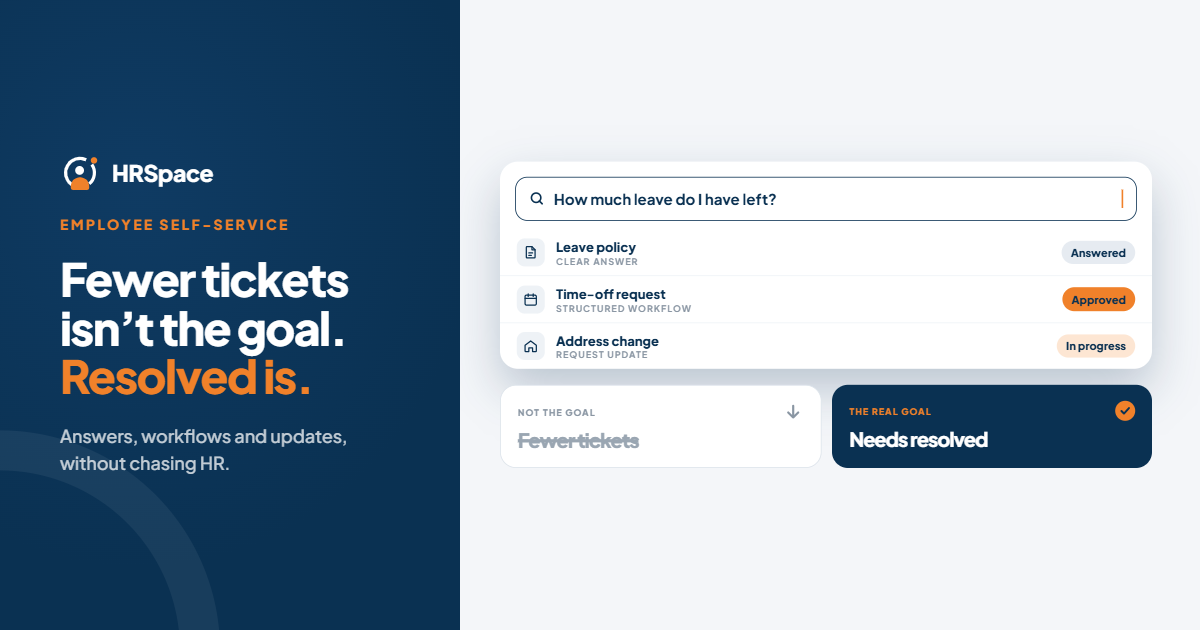
An employee self-service portal can reduce HR ticket volume by helping employees find answers, complete routine HR tasks, and check request status without contacting HR for every update. The key is choosing a solution that resolves common employee needs rather than simply moving requests from email and chat into another system.
For growing companies, repetitive questions about leave policies, onboarding, approvals, and employee records can consume valuable HR time. A well-designed HR self-service portal gives employees a clearer way to handle routine tasks while allowing HR teams to focus on requests that require human judgment.
The goal is not to eliminate communication with HR. It is to reduce avoidable administrative work without making support harder to access.
How Does an Employee Self-Service Portal Reduce HR Ticket Volume?
An employee self-service portal reduces unnecessary HR requests when employees can complete common tasks independently and understand what happens next. Four capabilities are particularly useful.
1. A Centralized Source of HR Information
Employees often contact HR because policies, instructions, and process details are scattered across emails, shared documents, and chat conversations.
A centralized source of HR information helps employees find answers to recurring questions about leave policies, benefits, onboarding, and internal procedures.
For self-service to work, information must be accurate, easy to search, and regularly updated. Each policy or guide should have a clear owner responsible for maintaining it.
Best for: Frequently asked questions with consistent, approved answers.
2. Employee Self-Service Workflows
Some HR requests require an action, not just an explanation. An employee might need to submit a time-off request, complete onboarding paperwork, or provide information for an internal process.
Employee self-service workflows guide employees through these tasks using structured forms, defined approval steps, and clear instructions.
This reduces unnecessary back-and-forth because HR receives the information needed to process a request from the beginning. Employees also understand how to submit requests correctly and what to expect afterward.
Best for: Repeatable HR tasks with clear ownership and approval rules.
3. Request Status and Progress Tracking
Employees frequently follow up on requests because they do not know whether someone has reviewed them, whether approval is pending, or whether additional information is required.
A useful HR service desk should make request progress understandable. Employees should be able to see the current status, the next step, and whether action is required from them.
Clear status updates can reduce repetitive messages such as “Any updates on my request?” and help HR teams spend less time responding to progress inquiries.
Best for: Requests that require review, approval, or action from multiple people.
4. Clear Routing to the Right Person
Not every employee question can be resolved through self-service. Confidential concerns, unusual circumstances, and requests requiring professional judgment still need human support.
A well-designed employee self-service portal should provide a clear route to the appropriate HR contact or service desk. Defined ownership and escalation rules help prevent requests from getting lost between teams.
Best for: Requests that require individual attention or cross-team coordination.
Why HR Ticket Volume Does Not Tell the Whole Story
Reducing HR ticket volume is useful, but ticket count alone does not show whether employees are receiving better support.
For example, a company might see fewer service desk tickets after introducing a portal. However, employees could still be sending the same questions through private messages or email. In that case, the workload has shifted rather than disappeared.
Another risk is making self-service difficult to use. Employees may stop submitting requests because the process is confusing, even though their needs remain unresolved.
To evaluate the impact of an employee self-service portal, HR teams should look at several indicators together:
-
HR contacts by category: Are repetitive questions reaching HR less frequently across email, chat, and the service desk?
-
Successful task completion: Can employees finish the intended task without additional assistance?
-
Repeat contacts: Do employees need to ask the same question more than once?
-
HR handling time: Is the time spent on routine administrative requests decreasing?
-
Unresolved requests: Are employee needs being addressed, or are requests simply disappearing from the queue?
-
Employee experience: Can employees find information and access human support when needed?
Establish a baseline before implementation and compare results after the portal has been introduced. Account for changes in company size, onboarding activity, and HR policies when interpreting the results.
The most meaningful improvement is not simply fewer tickets. It is fewer avoidable contacts alongside successful task completion and accessible employee support.
How to Implement an HR Self-Service Portal Effectively
Introducing a portal does not automatically reduce repetitive HR work. The outcome depends on which processes are included, how information is maintained, and whether employees understand how to use the system.
Step 1: Identify the Most Common HR Requests
Review recent HR tickets, emails, and chat conversations. Group requests by the underlying need rather than the communication channel.
Common starting points include questions about leave policies, onboarding instructions, approval status, employee documents, and routine administrative procedures.
Focus on recurring requests that have predictable answers or clearly defined workflows.
Step 2: Match Each Request to the Right Solution
Not every request should follow the same path.
-
Questions with approved answers need accessible information.
-
Routine administrative tasks need structured workflows.
-
Requests requiring approval need clear ownership and progress tracking.
-
Sensitive or unusual cases need direct access to an appropriate person.
This distinction prevents the portal from becoming another place where employees submit requests without receiving a resolution.
Step 3: Define Ownership and Escalation Rules
Every workflow should have a clear owner. Employees should know who handles their request, what happens next, and when they may need to provide additional information.
Where service-level agreements (SLAs) apply, define response expectations and escalation procedures. Monitor overdue requests and make sure employees can access support when the standard process does not fit their situation.
Step 4: Make Self-Service Easy to Use
Use familiar language, straightforward instructions, and only the form fields necessary to complete each task.
Test the experience with employees who were not involved in configuring the portal. Ask them to find a policy, submit a routine request, and explain what happens afterward.
Their difficulties will reveal where instructions, workflows, or handoffs need improvement.
Step 5: Measure Results and Improve
Compare post-launch performance with your original baseline. Investigate request categories that continue to generate frequent contacts, and review feedback from employees and HR team members.
If employees repeatedly contact HR after reading an article or submitting a form, the problem may be unclear instructions, an incomplete workflow, or a lack of status visibility.
Use those findings to improve the process before expanding self-service to additional HR activities.
What to Look for When Choosing an HR Self-Service Portal
When evaluating HR software, focus on the capabilities that address your actual sources of repetitive work.
| Capability | What to evaluate |
|---|---|
| Employee access to HR information | Can employees find current policies and process instructions easily? |
| HR workflows | Can routine requests be submitted and processed through defined steps? |
| Approval management | Are responsibilities and approval stages clear? |
| Request tracking | Can employees understand the status and next action for a request? |
| Service desk and escalation | Can unresolved requests reach the right person? |
| Reporting | Can HR measure request volume, processing time, and recurring issues? |
| Integration with HR processes | Can employee requests connect with relevant records and workflows? |
Also consider the ongoing work required to maintain the system. Someone must keep information accurate, review workflows, monitor unresolved requests, and update procedures as the company changes.
A long feature list is not enough to establish that a platform will reduce HR ticket volume. Evaluate the employee experience and verify that the system supports the processes your team needs.
How HRSpace Helps Manage HR Workflows
HRSpace is a cloud-based HR platform that brings employee management, HR workflows, and internal service desk capabilities into one workspace.
For growing companies, it provides tools for managing employee information, onboarding and offboarding, time-off requests, approvals, performance reviews, and other HR processes. Its internal service desk supports the management and routing of employee requests, helping teams organize work that requires attention from HR or other departments.
These capabilities are relevant when evaluating how to reduce repetitive administrative work and improve request handling.
However, the effect on HR ticket volume depends on the specific employee-facing capabilities enabled, how workflows are configured, and whether employees can complete tasks without additional assistance. Teams should verify the portal experience, request visibility, and reporting available for their use case before implementation.
Explore HRSpace to see how its HR management and workflow capabilities could fit your company's processes.
Frequently Asked Questions
Can an employee self-service portal reduce HR ticket volume?
Yes. An employee self-service portal can reduce HR ticket volume when it helps employees resolve recurring questions, complete routine tasks, and track requests independently. Results should be measured across all support channels, not only tickets submitted through the portal.
What should an HR self-service portal include?
Useful capabilities include access to HR information, employee self-service workflows, leave and approval processes, request tracking, and a clear route to human support. The right combination depends on the company's recurring employee needs.
How do you measure the success of an employee self-service portal?
Track HR contacts by category, successful task completion, repeat contacts, handling time, unresolved requests, and employee feedback. Comparing these measures with a pre-launch baseline helps distinguish genuine workload reduction from a change in communication channels.
Can employee self-service replace an HR service desk?
No. Self-service can resolve routine needs, but requests involving exceptions, confidential concerns, or individual decisions still require human attention. The two approaches work best when employees can move easily from self-service to the appropriate support team.
How long does it take to reduce HR ticket volume?
There is no universal timeline. Results depend on the quality of the portal, the processes implemented, employee adoption, and the types of requests being handled. Establish a baseline, introduce self-service for a focused group of recurring needs, and measure the results before expanding.
Final Thoughts
An employee self-service portal can reduce HR ticket volume, but only when it helps employees resolve their needs rather than adding another step to the process.
Start with the most common repetitive requests, provide clear information and practical workflows, and maintain a direct route to human support. Measure completed tasks and reduced administrative effort alongside ticket volume.
For HR teams, the objective is straightforward: spend less time answering the same routine questions and more time supporting employees and the business.
Related Guides
Ready to make HR the easy part?
Explore modular pricing and start a free 14-day trial.